Authorization Profiles
An authorization defines the permission granted to a user to access certain functionalities and data scopes. Authorizations specify the allowed functions, but also, for certain ones, the thematic bases and the scope of users. Thus, authorizations allow for precise regulation of what each user is allowed to do, without them being administrators.
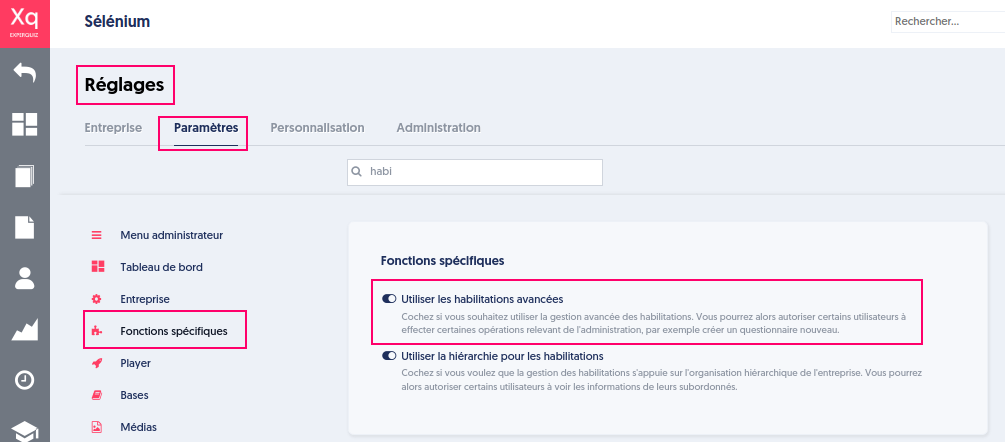
Some companies with simple use cases do not use authorizations at all. To use them, one must subscribe to the "Gold" offer and select the option "Use advanced authorizations" in the company's settings.
Until now, authorizations were defined at the individual user level. That is to say, one had to indicate, for each user, the list of granted authorizations.
Today, it is possible to define authorization profiles that allow grouping a list of authorizations under a single name. Once you have defined authorization profiles, you can assign them to users. A user who "has a profile" possesses all the authorizations that this profile grants. A user can have multiple profiles, and in this case, they possess the sum of all authorizations from those profiles.
It is still possible to define authorizations granted to a user directly, independently of the notion of profiles. A user can have one or several profiles, and additionally possess personal authorizations. In this case, their final authorizations are the sum of the authorizations from different profiles and personal authorizations.
The use of the authorization profile concept brings the following benefits:
- Management is simpler and more efficient: it is unnecessary to repeat the operation of defining authorizations by checking 10 boxes for each user with the "trainer" profile.
- You can easily update a profile, which immediately impacts the authorizations of all users holding that profile.
Authorizations
The management of authorizations is implemented according to three axes:
- Functionalities axis that defines the authorized actions (left menu)
- Thematic bases axis that defines the scope of thematic bases on which the functionalities apply
- Users axis that defines the scope of users on which the functionalities apply
An administrator is virtually all-powerful within the company's scope.
They are solely authorized to:
- delete entities (users, bases and the author bases, modules and the author modules, cycles, skills, Business Intelligence tables)
- modify the company's settings.
- define the authorizations of all users.
- assign "Administrator" rights
Learners are users without any specific authorization. They can only perform activities they have been invited to or that have been made freely accessible to them, depending on the groups to which they belong.
ExperQuiz allows for very fine definition of user authorizations.
NEW: A new authorization that allows “Create users via a 6-character code” has been added to the functional authorizations.
Contributor Profile
Anaïs is a Security expert, and she must contribute to a thematic base that will be used by trainers to conduct training on this topic.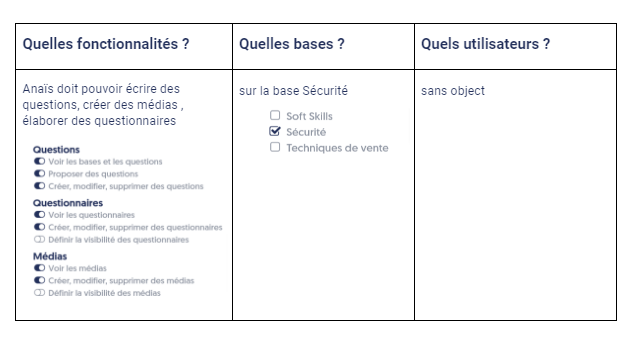
Trainer Profile
Raffy is a trainer in the environment for landscapers. He conducts in-person or remote training sessions on the topics of “Waste Sorting”, “Recycling”, and “Mulching”. He addresses users in the “Environment Training” group.
He must prepare his training with the materials and questionnaires to use.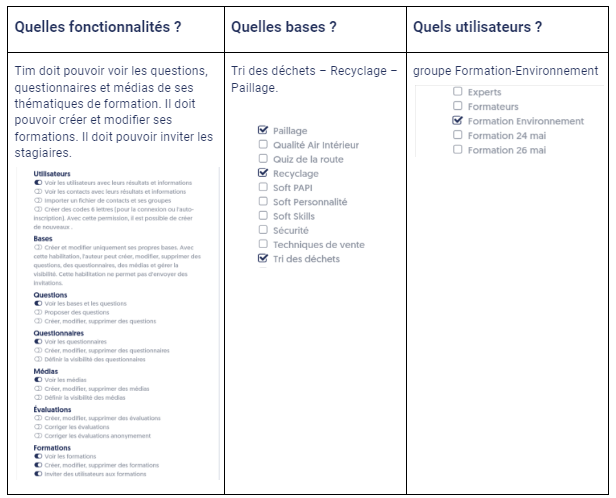
Manager Profile
Suzanne is responsible for a department consisting of several teams with their manager, and she wishes to view the results of activities for all department members as well as newcomers.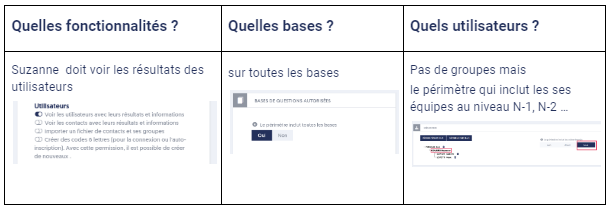
Skills Tracking
John is an HR manager, and he wants to track the evolution of skills within the company, enabling him to define the most suitable training.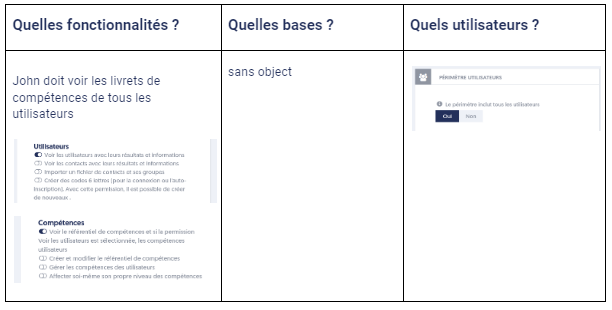
Campaign: Training Evaluation
Olga is the communications manager. Her mission is to gather various opinions through survey campaigns and analyze them. She works with the entire company.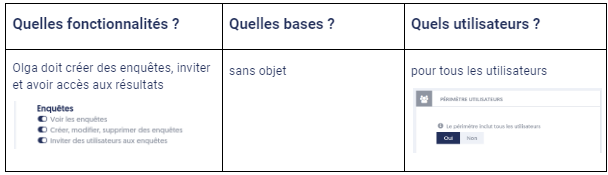
VAE Tutor
Tim is a VAE tutor, he will support candidates and validate certain skills in the company. This primarily involves “hands-on” validation in the field. There is not necessarily any evaluation or training on associated topics.
Candidates are in the VAE group.
Feature Activation
To use this feature, go to the company options in the “Specific Functions” category and activate “Use advanced authorizations”.
Predefined Profiles and New Profiles
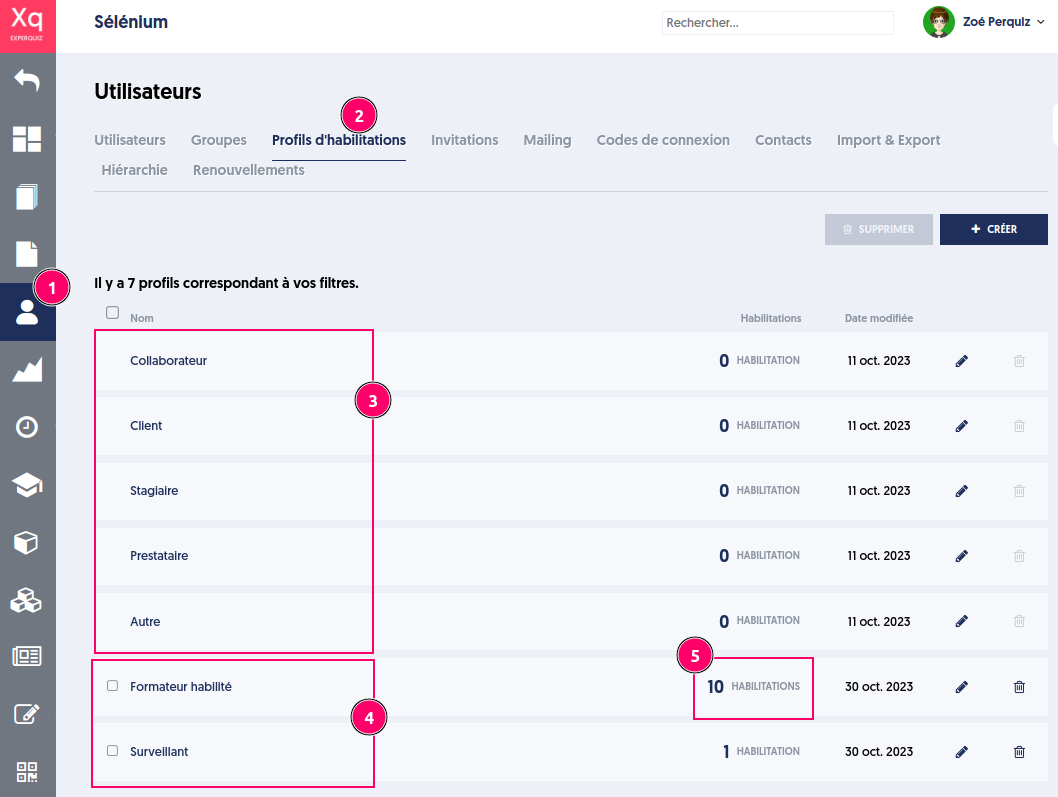
The list of authorization profiles is accessible by going to the Users menu (1) and on the Authorization Profiles tab (2).
Some profiles are predefined (3) and replace the types of users.
New profiles (3) can be created according to your needs.
Each profile represents a set of authorizations, that is to say, authorized functionalities. The profile does not define the scope of the bases or the scope of the users, which will be defined for each user distinctly.
It is possible to associate authorizations with each profile by clicking on the edit pencil.
Thus, in the example below, a person with the “Trainer” profile can, within the scope of their users, “View results” and in the scope of thematic bases, “Create new media” to enrich their educational materials, “View questions, questionnaires, and media”.
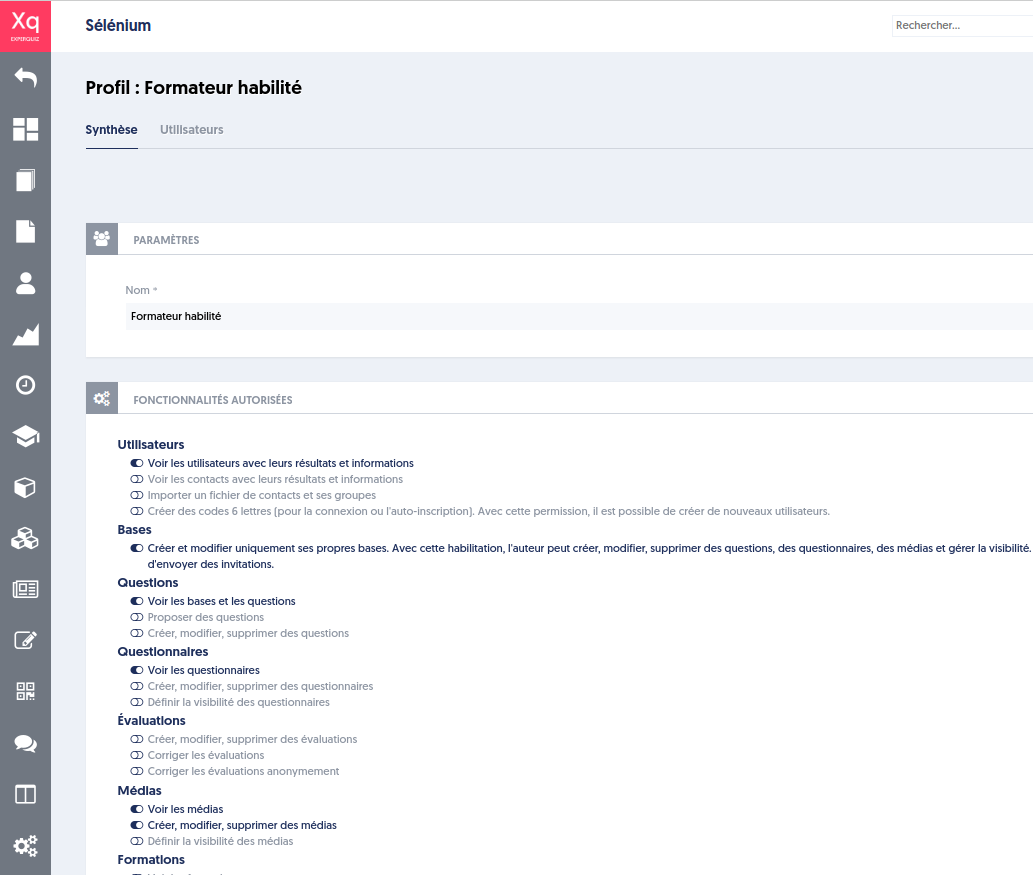
When you modify the profile called “authorized trainer,” it immediately affects the authorizations of all users with that profile.
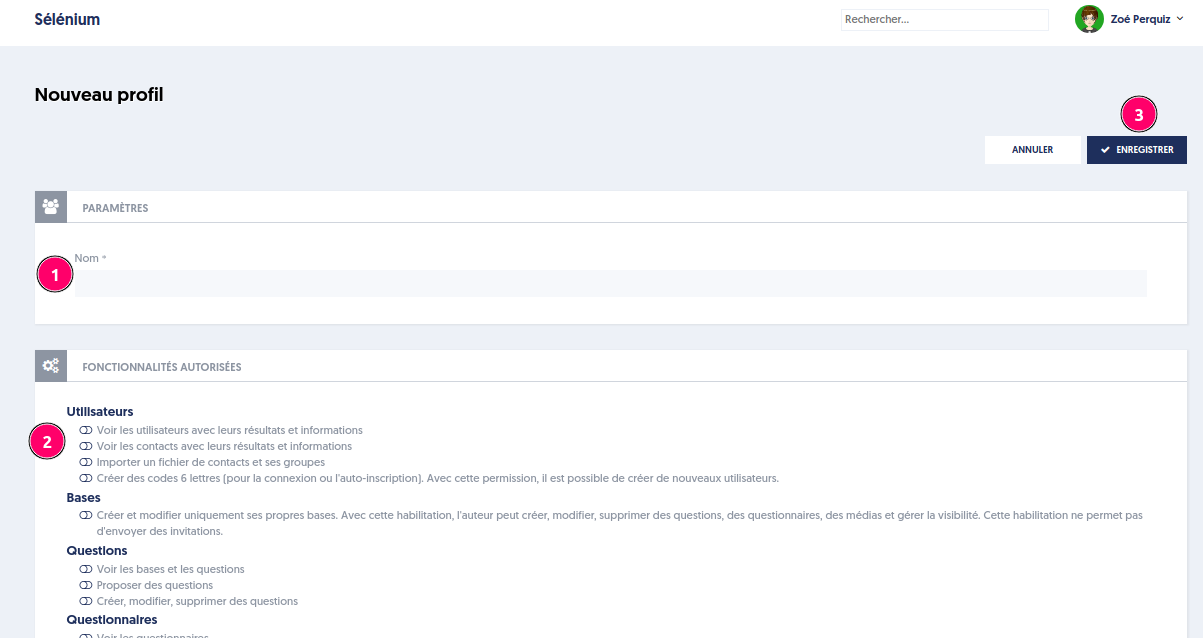
Creating a New Profile
To create a new profile:
- Click the “Create” button
- Enter a name
- Choose the authorized functionalities
- Save
Deleting Profiles
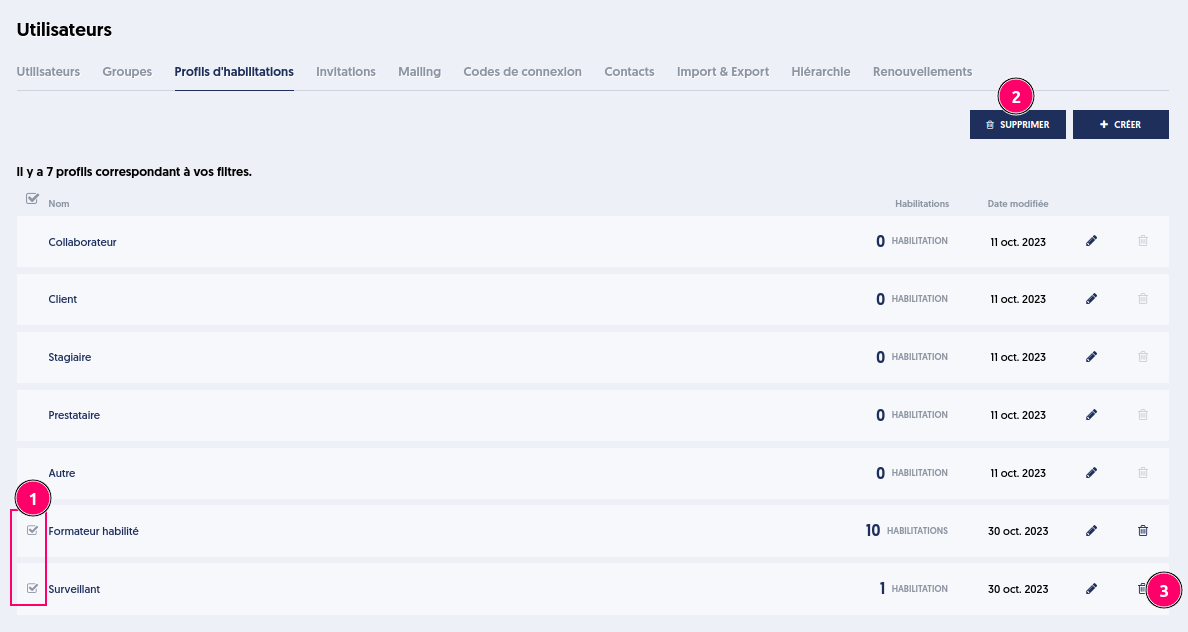
A selection of profiles can be deleted in bulk. To do this:
- Select the profiles to delete using the checkboxes on the left
- Click the “Delete” button
Alternatively, you can delete a profile by clicking on the trash icon (3). Default profiles cannot be deleted.
Article Navigation
Previous Previous article: Capture the candidates' webcam image stream