Creating a Session
A signing session is defined by:
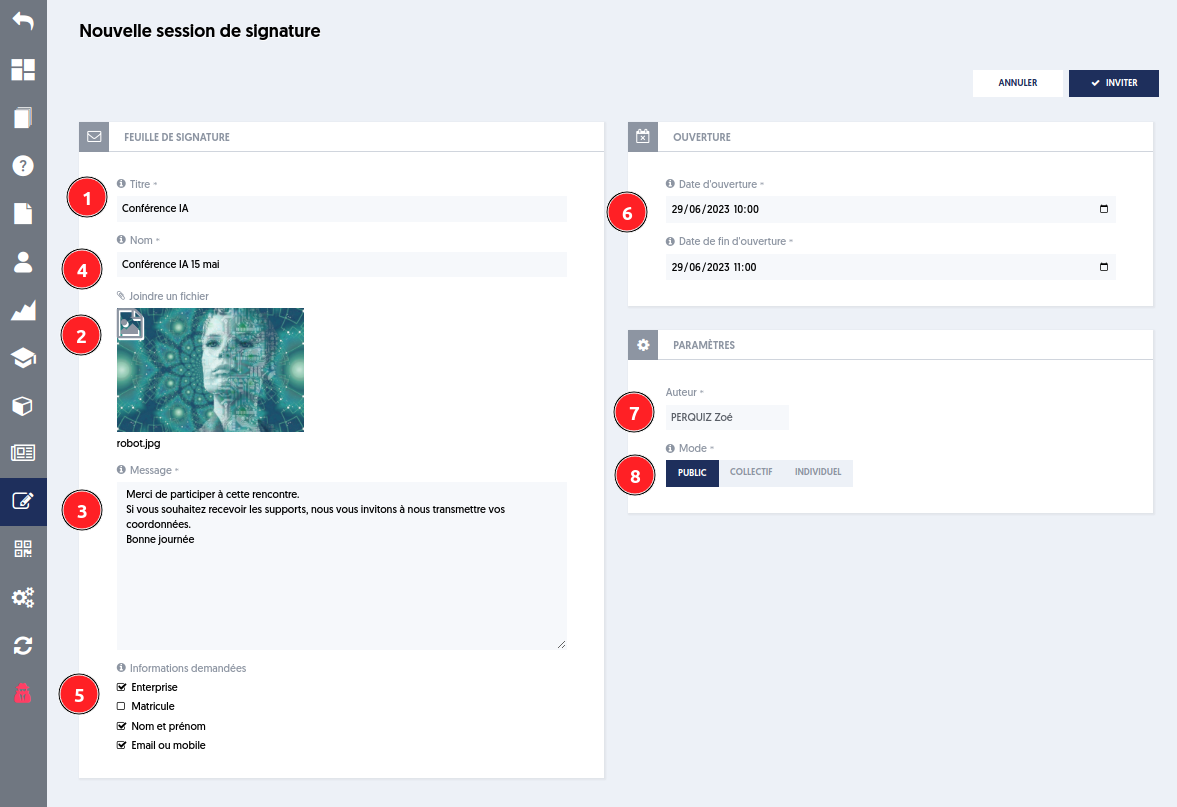
[1], [2] and [3] The title, the media, and the message that will be displayed to participants
[4] The name will allow for identifying the session in the list of signing sessions
[5] The information requested from the participant
[6] The session will be open between the opening date and the closing date
[7] The author
[8] The invitation mode, which can be:
- public: anyone who knows the unique session code can sign
- collective: only participants specified in a defined list can participate, using the same code
- individual: a defined list of participants will participate; each will receive a unique personal code by email at the start of the session
For the collective or individual mode, you must specify the people who are invited to sign: registered users or contacts.