Inviting Users
After creating your Company on ExperQuiz, the next step is to invite users:
- Enter (or copy-paste) a list of email addresses in the designated box.
- Recipients will receive an email containing instructions on how to register on ExperQuiz. If a user is already registered, they will be asked to accept joining the company’s network.
- Once users are registered and have accepted to be part of the company, you can send them assessments.
Pending Invitations
When you have sent invitations that have not yet been accepted by their recipients, they are displayed in this list as pending invitations. You can delete them if they are outdated or resend them.
Group Invitation
Mixed Invitation
You can invite a list of users [1] with just a few clicks and manage groups with a large number of users: this is the group invitation.
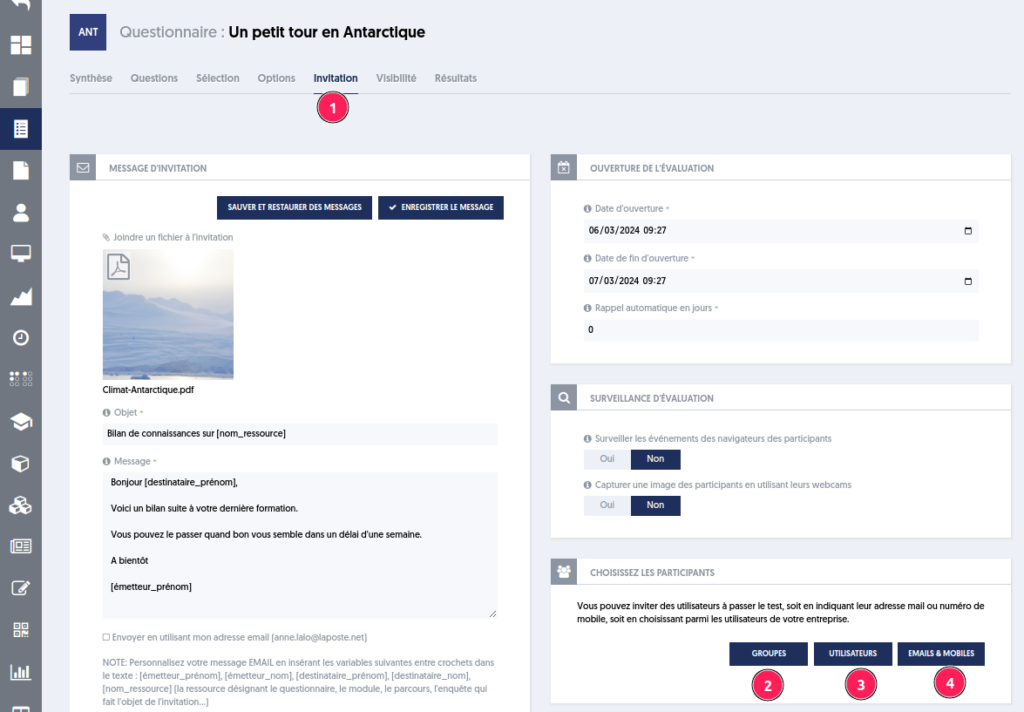
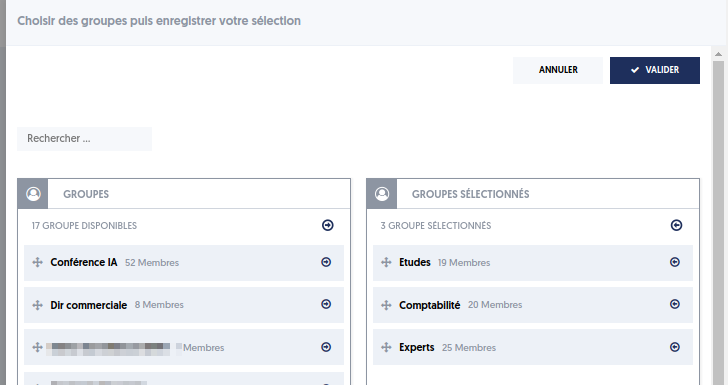
You can compose the list of participants by combining a selection of groups [2], users [3], and/or contacts [4].
A summary of your choices [1] allows you to verify the selected groups, users, and contacts before inviting them [2].
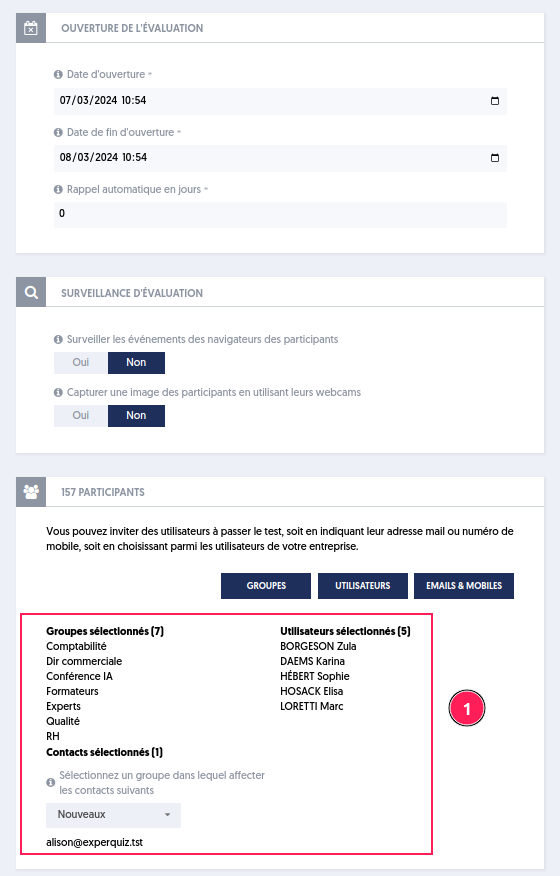
Note that in this information, the number of members in each group is presented, along with the sum of these numbers. If a user belongs to multiple groups, it’s possible that the total number of invitees may be less than the sum of the number of members from the various groups.
The Results
When the number of invitees exceeds 200, the invitation is split into packets of 200.
If 220 people are invited, two invitations are generated: one with the first 200 [1] and another with the remaining 20 [2].
An indication of the first two letters of the first and last candidates' names is displayed to help locate the invitation of a particular candidate.
