User Management
Some new features have been added to user management.
The first new feature concerns the proposed actions (2) that can be applied to a selected list of users (1).
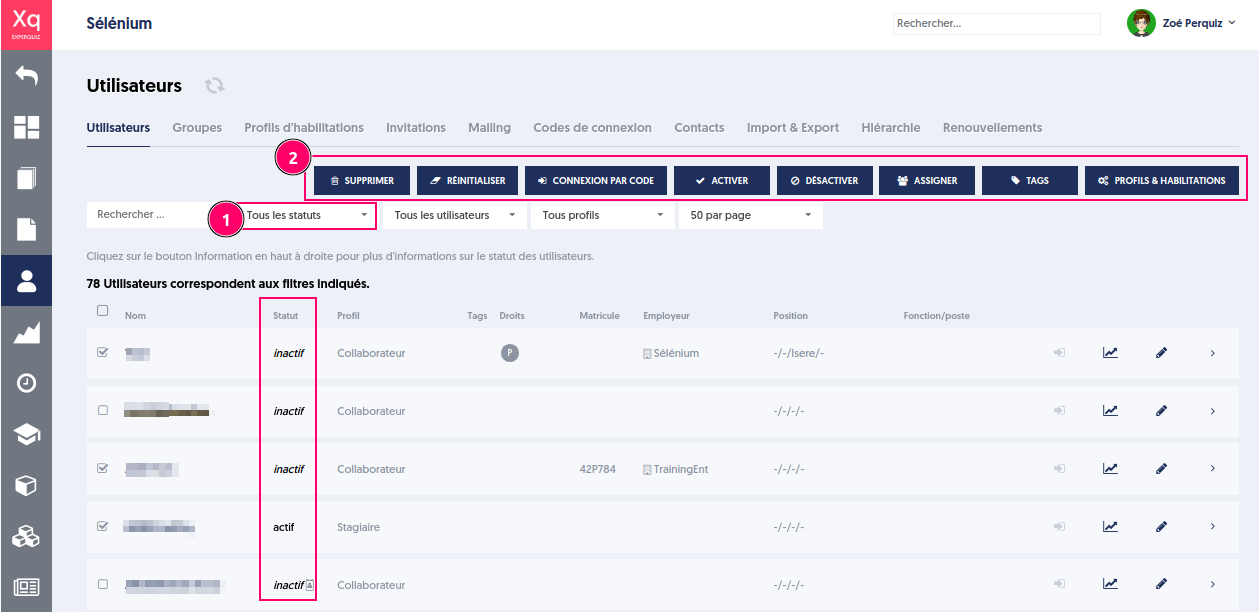
Until now, to activate a user whose status was inactive, it was necessary first to filter by the "inactive" status, then select the users to activate from the list of inactive users, and finally click on the action button.
Now, the filtering step is no longer necessary; ExperQuiz will handle the appropriate processing based on the user's status. An already active user will not be "activated" again.
Applicable Actions on a List of Users
Delete: deletes the selected users and anonymizes their activity results (target: all users).
Reset: sends new passwords to the selected users (target: active users).
Login by Code: generates a personal 6-letter code for each selected user to allow them to log in (target: active users).
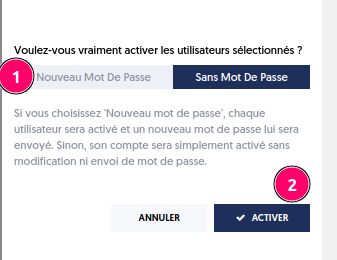
Activate: activates users (inactive users, guests, created users). It is possible to activate with or without a password. In the latter case, users can carry out their activities without logging in or manage the generation of a new password themselves (by clicking on "forgot password") when they wish to log in. (target: created or inactive users).
Deactivate: makes the selected users inactive. They will no longer be invited to activities or have access to their dashboard. (target: active users).
Assign: group management for the selected users. It is possible to reset groups, add, or remove selected groups from the group list.
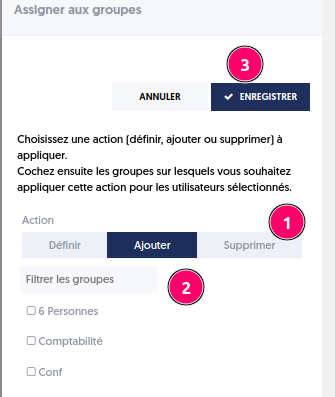
- Choose the action
- Filter the groups and select them
- Save
Tags: tag management. It is possible to reset tags, add, or remove tags.
Authorization Profiles: management of profiles, functional authorizations, and base and user scopes.
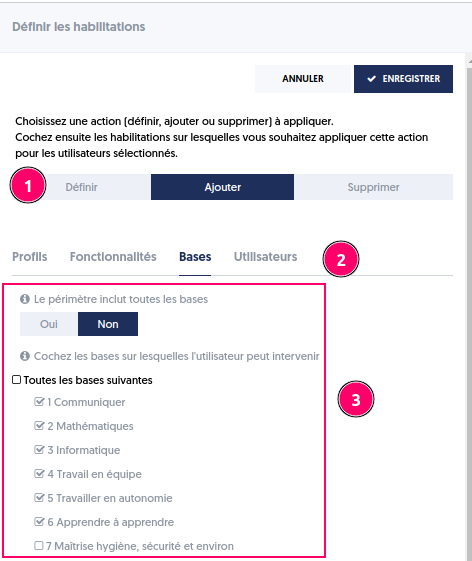
- Choose the nature of the action
- Consult the various tabs Profiles, Features, Bases, Users
- Make your choice from the proposed options