Resource Sharing Programming
Questionnaires and modules are resources that can be displayed on the learner's dashboard for free access.
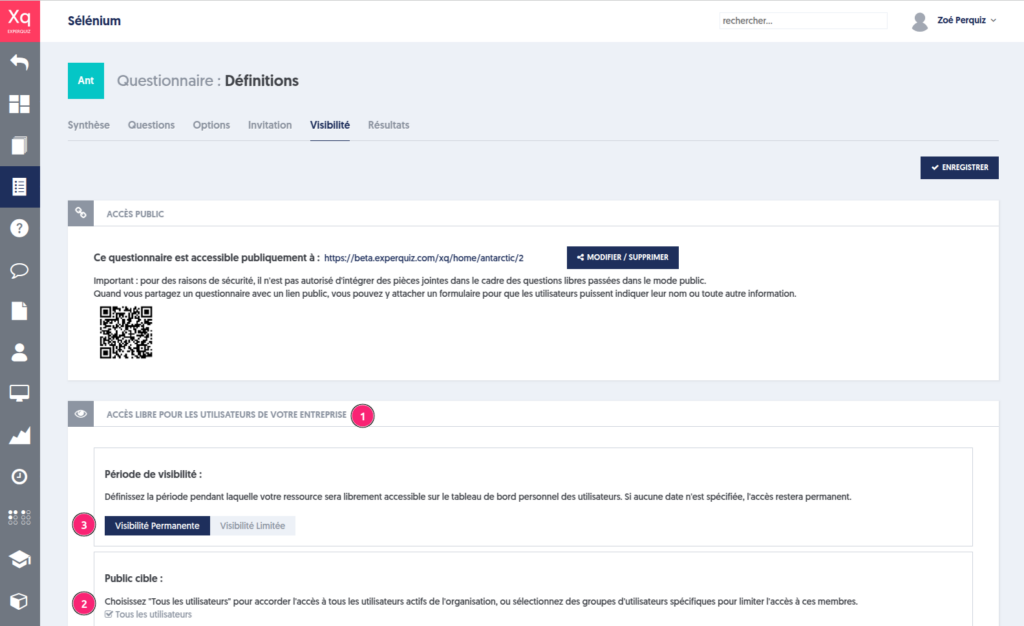
This sharing is managed through the concept of visibility. It is not only about a user being able to see the resource but also about using it freely, as many times as they wish, and without having been explicitly invited.
The operating procedure is very simple: go to the list of questionnaires and click on the visibility button, represented by an eye icon.
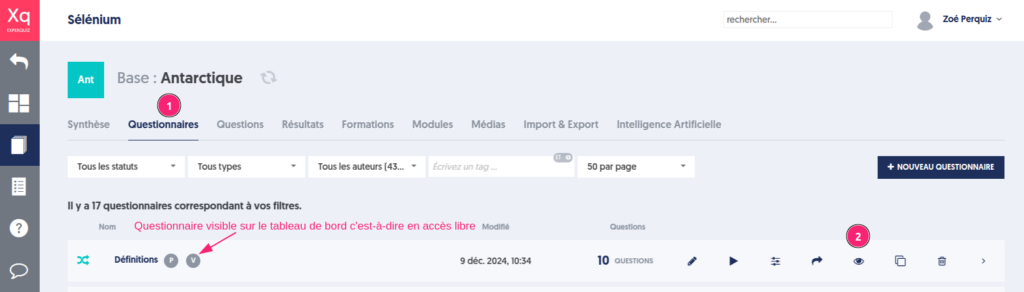
By checking the "all users" option, you make the resource visible (and thus playable) to all users in your organization.
Otherwise, by checking one or more user groups, you make the resource visible to users belonging to those groups.
Of course, if later you assign a user to one of the groups selected here, this will give them visibility on this resource.
To remove visibility, you had to explicitly deactivate the groups, but this action could not be scheduled over time and made automatic.
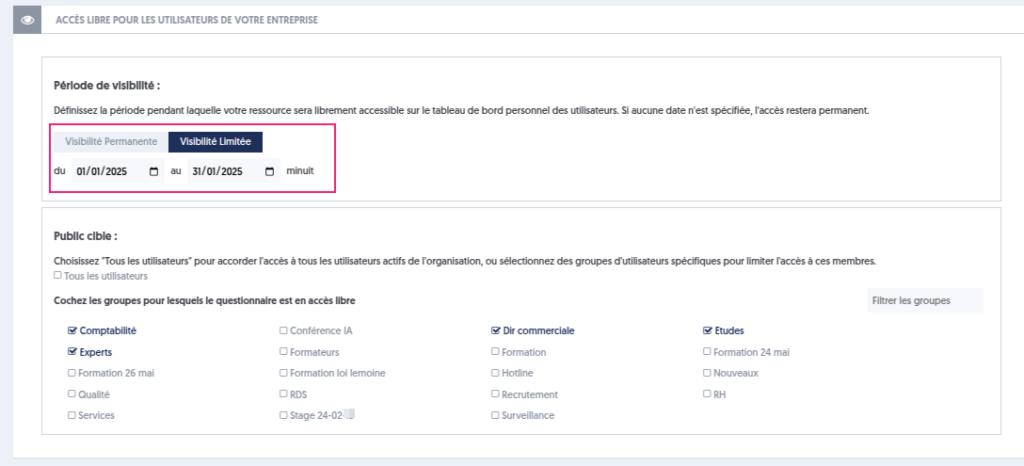
It is possible to define a period during which the resource is visible. Nothing simpler: just choose the “Limited Visibility” option and define the desired period. In the example below, the questionnaire will be visible from January 1, 2025, to January 31, 2025.
Article Navigation
Previous Previous article: Managing soft skills tags on the test results page