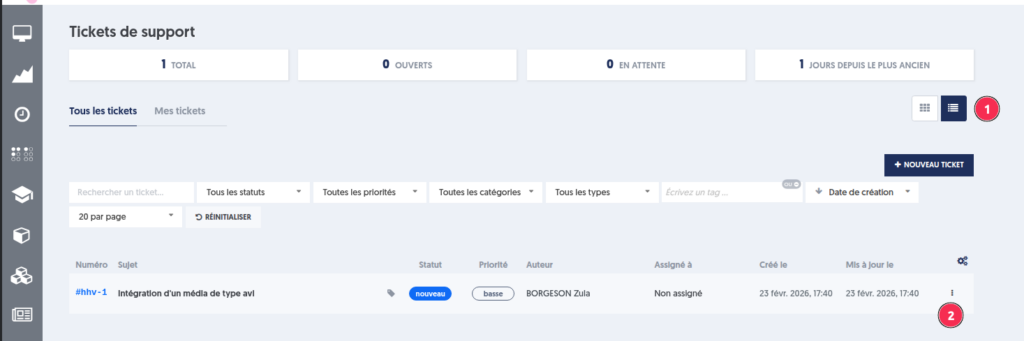
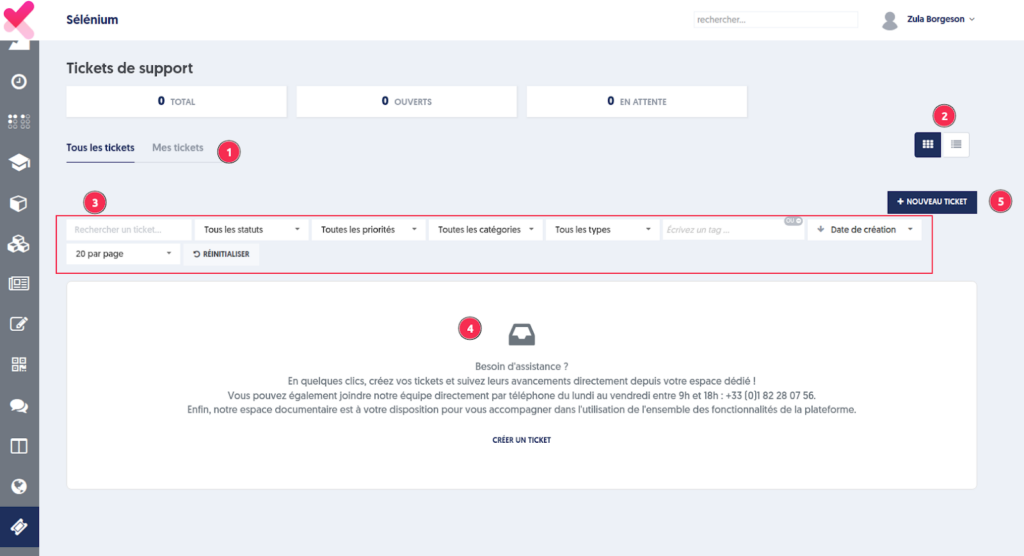
Tickets Page
By clicking on the "Tickets" option in the main menu, you reach your ticket page. You will only see the tickets for your company.
The page includes:
- The tabs "All Tickets" and "My Tickets"
- A display in the form of cards or a list
- Search filters (status, priority, category, type, etc.) to refine the results
- A support message in the absence of tickets
- Direct access to create a new ticket
Ticket Filters
The Tickets page offers several filters to refine the display of requests.
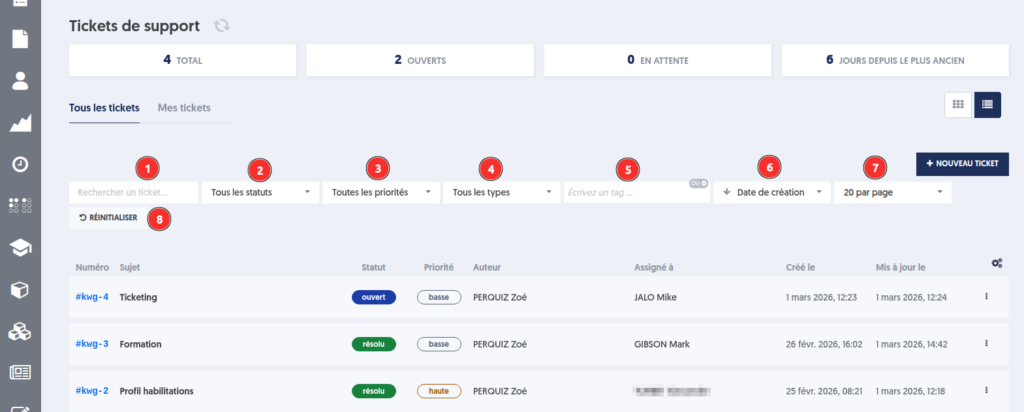
- Text Search
A keyword search allows you to find a ticket based on a string present in its title or description. -
Filter by Ticket Status Five statuses are available:
-
New: the ticket has just been created and submitted
- Open: the ticket has been acknowledged
- Pending: the ticket requires additional information
- Resolved: the ticket is processed and can be tested by its owner
-
Closed: the ticket is closed
-
Filter by Priority
Four levels of priority are available: -
Low
- Medium
- High
- Urgent
Priority indicates the level of urgency and the expected speed of handling. It is defined when creating the ticket but can be reassessed by the Experquiz maintenance team if necessary.
-
Filter by Type
The types are: -
Question
-
Issue
-
Filter by Tag
You can add custom keywords to qualify your tickets, and this filter allows you to refine the search by this criterion. - Sort by creation date or last update date
- Number of tickets displayed per page
- Reset button to clear all active filters
Ticket Display
Card View
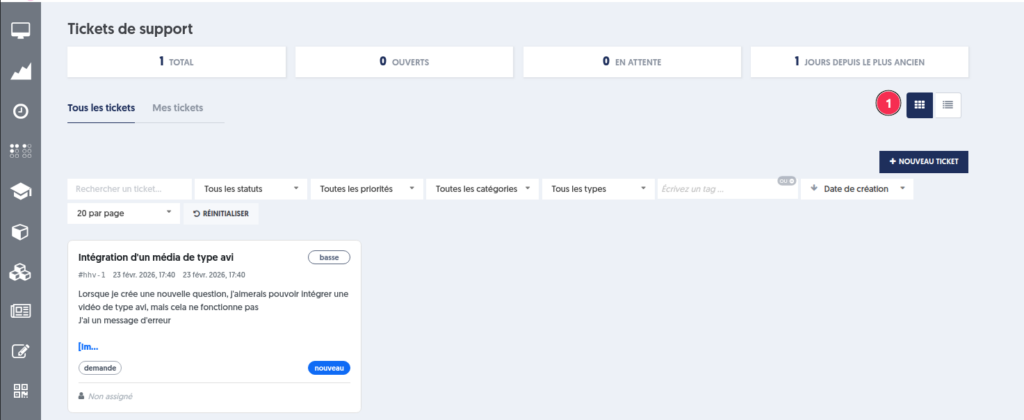
List View