The module tracking by a user
As we have seen, a user can track a module either because an administrator or an authorized person has enrolled them in this module or because they had visibility on this module and chose to follow it. The flow of the module will be identical in both cases.
Below is the My Modules page of a user who has been invited to follow the Cinema module.
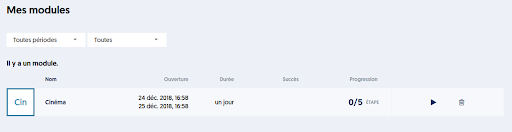
The user is invited to only one module, and they have not started it yet. The opening period is one day, and the duration of the module is also one day.
By clicking on the Play button, the user accesses the module.
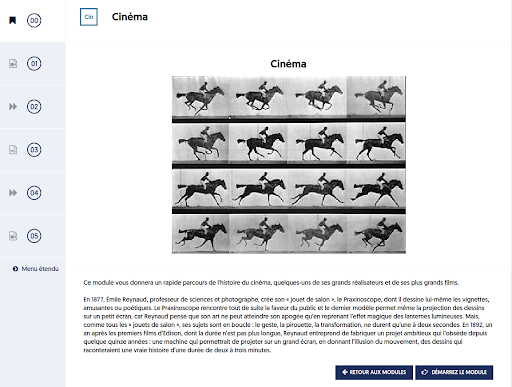
The first page they access is the one that presents the module, if you have set a message or an introductory image. By clicking on the START THE MODULE button, the user moves to the first step.
Note that throughout the flow of the module, the left column will help you navigate through the different steps. You can return to a previous step at any time, but you cannot skip steps and go directly to a future step.
This left menu can be viewed in compact mode as shown above, with only an icon representing the type of step and the step number, or in expanded mode, as below:
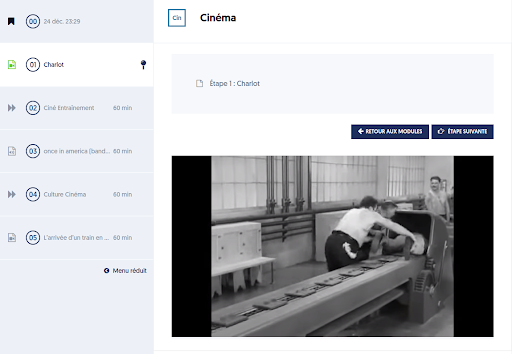
In the previous image, the user is in the process of watching a phase of video course. They can of course switch to full-screen mode to focus on the course. Once the course phase has been watched, the user moves to the next step. They can return to this phase of the course at any time.