Quick Resending of an Evaluation
It is possible to resend an evaluation to its participants based on various selection criteria. This is not a reminder; it is a new evaluation targeting all or part of the participants from a previous evaluation.
It can target:
- All previously invited participants
- Only the participants who did not take the evaluation
- In the case of certification: non-certified participants, meaning:
- Those who did not take the certification
- Those who took it but failed
The resend button is accessible from the results page of evaluations, on closed evaluations (which you can filter).

By clicking on the resend arrow button, a panel opens allowing you to:
- Choose the new opening period of the evaluation
- Adapt the subject and the invitation message
- Select the invitation criterion (all participants, those who have not started, or those who are not certified)
- Send
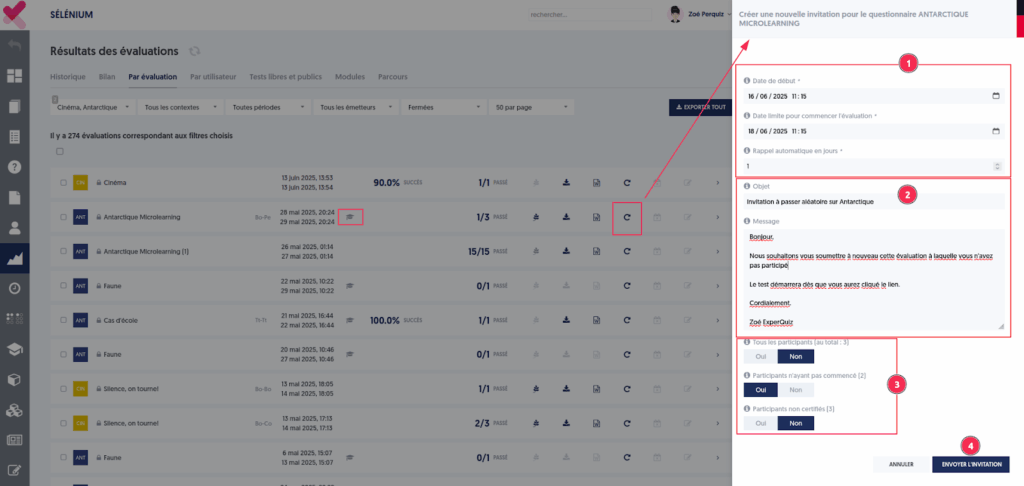
In the example above, two individuals were not certified and will be invited again. A new invitation is created and appears in the list of invitations.
