Management of Soft Skills Tags on Test Results Page
In a questionnaire, there can be two types of tags:
- Non-soft skills question tags
- Response tags for soft skills questions
Question tags help build scores by tag, providing a detailed analysis of the results. They also allow finding questions by filtering by tag.
Response tags, which only concern soft skills questions, have a slightly different use: they help to develop soft skills scores, with each selected response contributing to boosting the score for the tag(s) associated with that response.
In the questionnaire options, it was already possible to select which question tags to display on the results page. This feature is now offered for soft skills question tags.
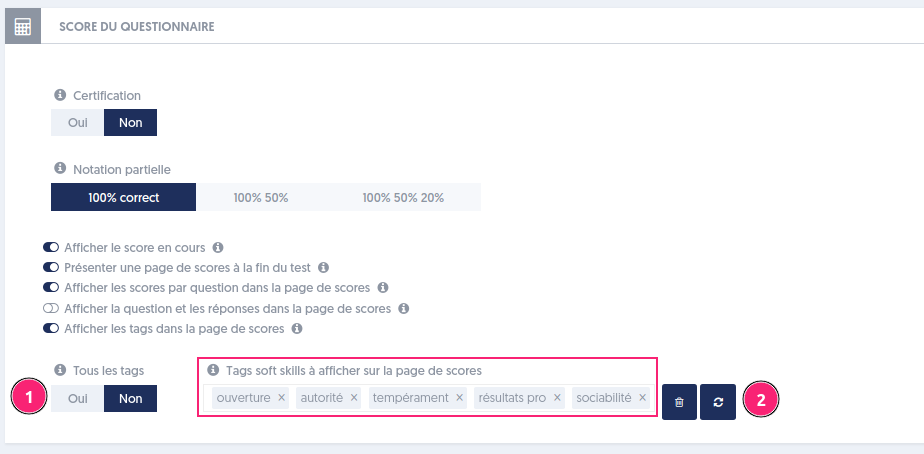
You need to choose the option “Show tags on the score page,” then check “No” [1] for the option “All tags,” and finally select the tags to display. Two buttons [2] allow you to delete all tags (trash can) or reset them.
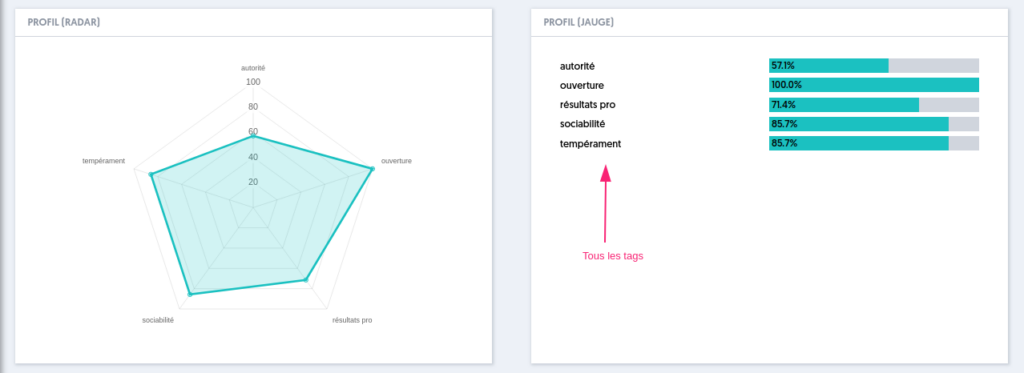
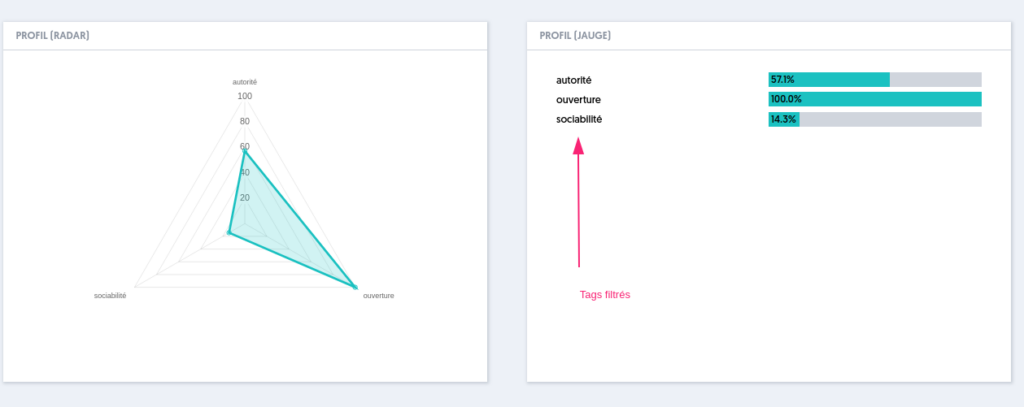
If we restrict the list of tags to the following 3 tags:

The score page only shows this limited list.
Article Navigation
Previous Previous article: AI helps generate answers in questions