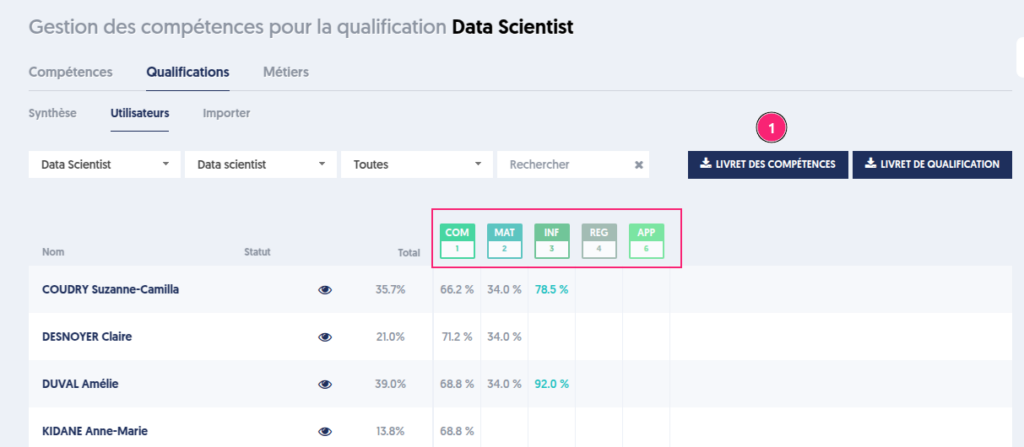
The User Booklet
To see the results of users' skills or qualifications [1], just click on the eye [2].
A single button allows you to view a user's skills and qualifications.
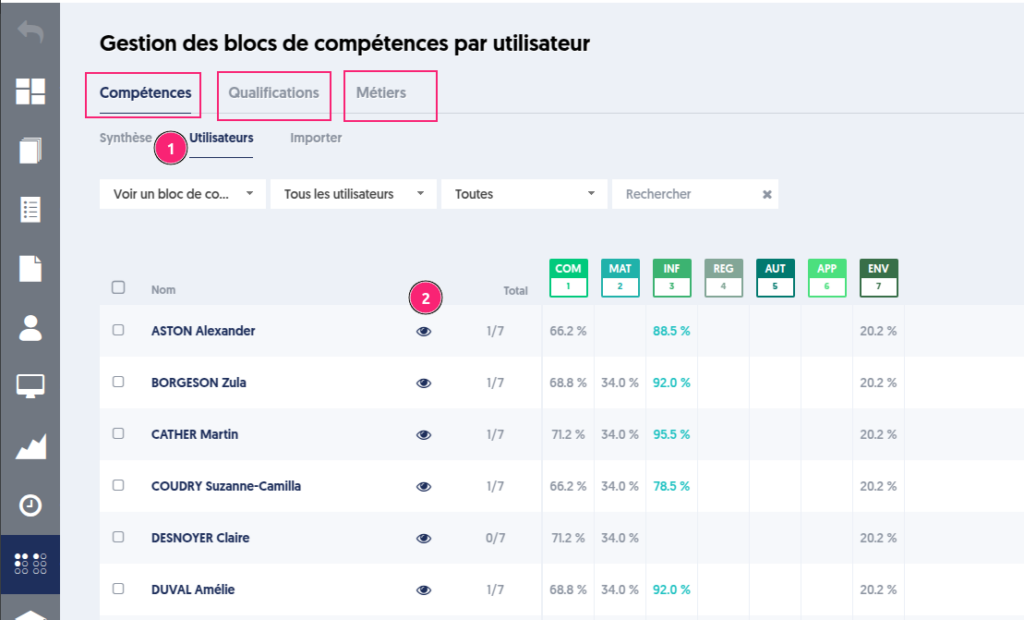
A page opens that allows you to edit and modify the user's skill booklet [1].
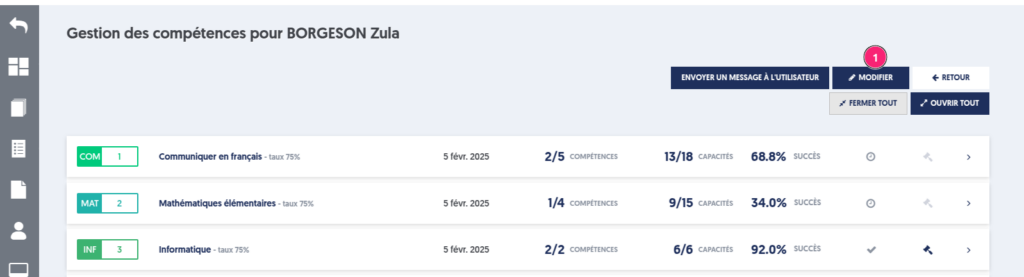
Exporting the Skills Booklet
So far, exporting the skills booklet included all blocks regardless of the value of filter 1.
Then you could define the type of export by choosing options.
With the By user option, the export presents the skills booklet for each user.
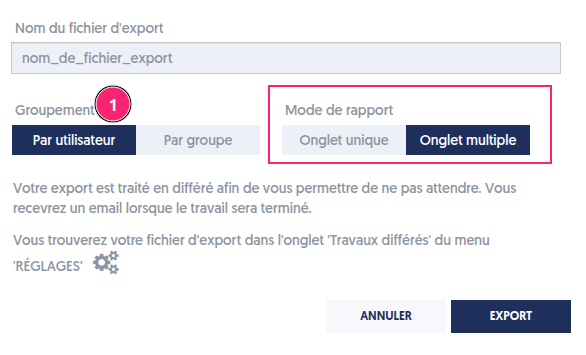
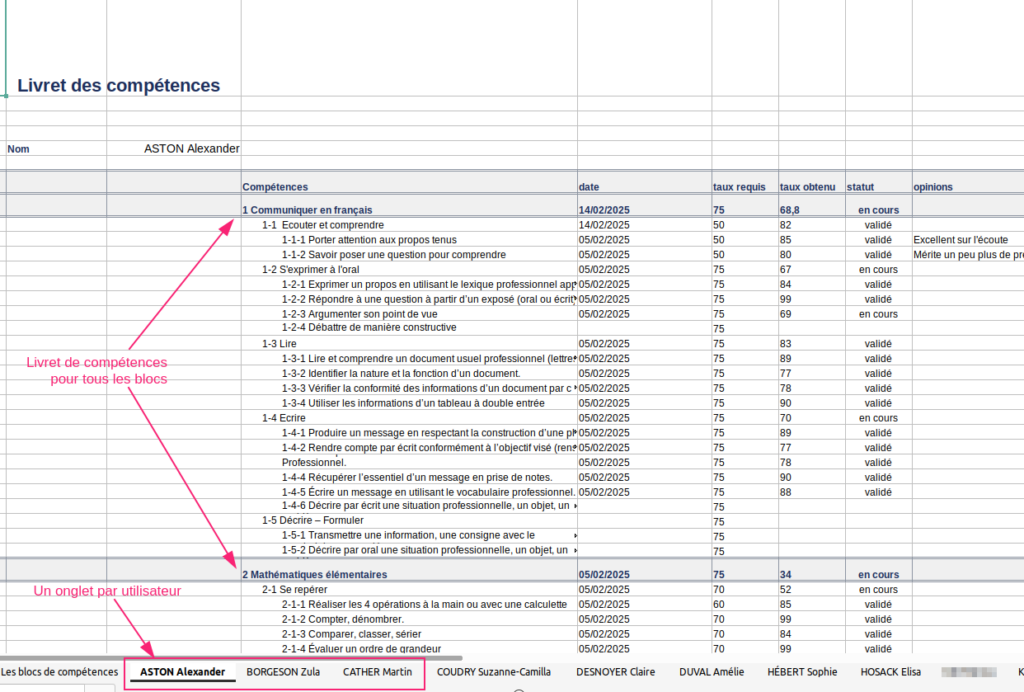
If the Multiple tabs option is selected, the Excel file presents each booklet on a separate tab.
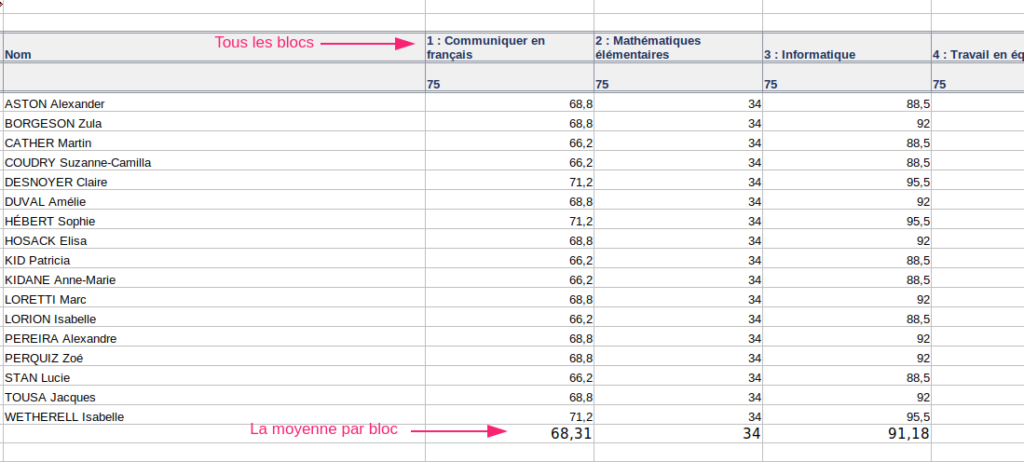
If the Single tab option is selected, the Excel file presents one page with blocks in columns and one line per user.
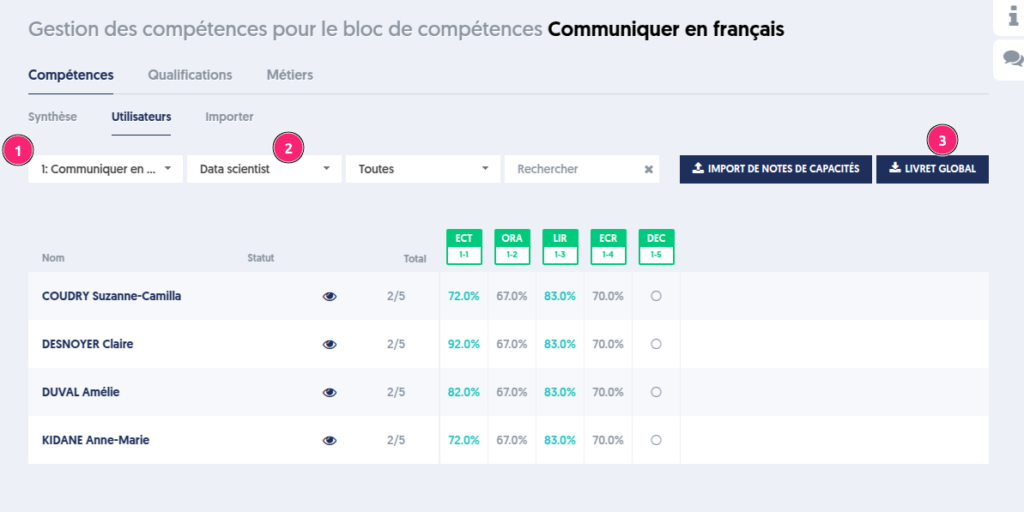
The global booklet now takes into account the value of block and user filters. For example, to export the results of the Data Scientist group on the block 1. Communicate in French, you must filter and then click on the Global Booklet button. Depending on the options, you will get the desired export.
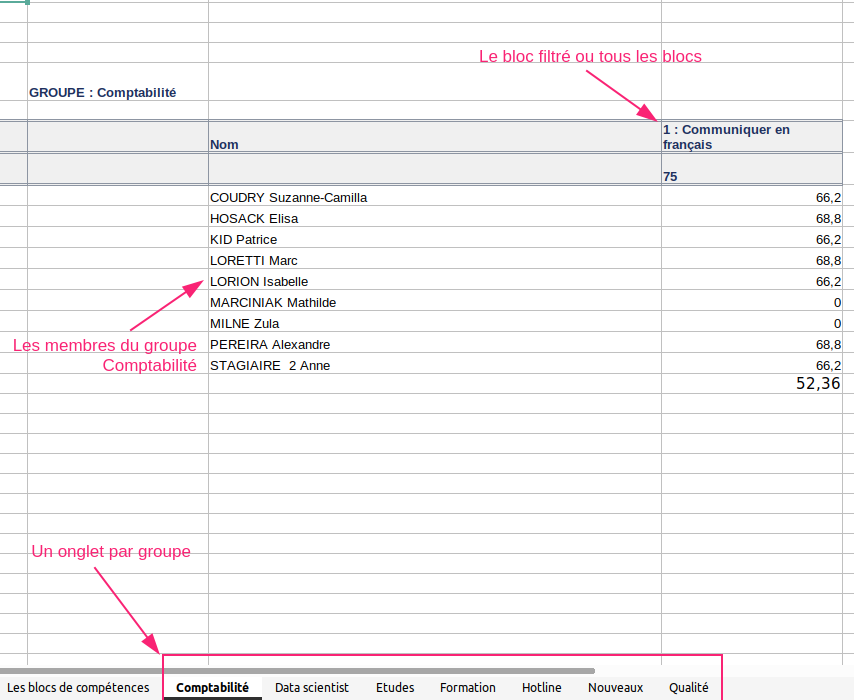
With the By group option, the export presents the skills booklet for each selected group [1].
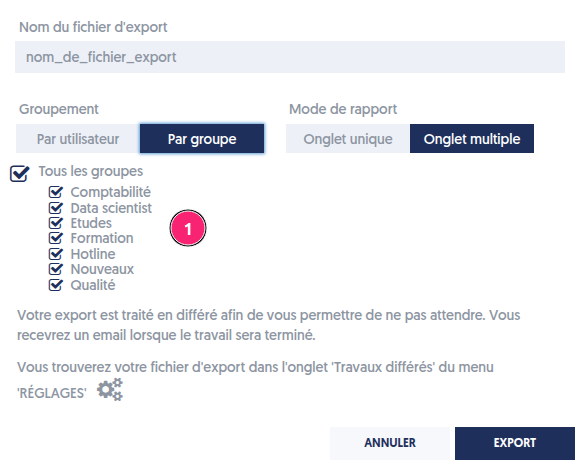
If the Multiple tabs option is selected, the Excel file presents each booklet on a separate tab.
Exporting the Skills Booklet of a Qualification
A new export allows you to build the skills booklet associated with a qualification.