Traceability: Ticket Tracking
Ticket Handling
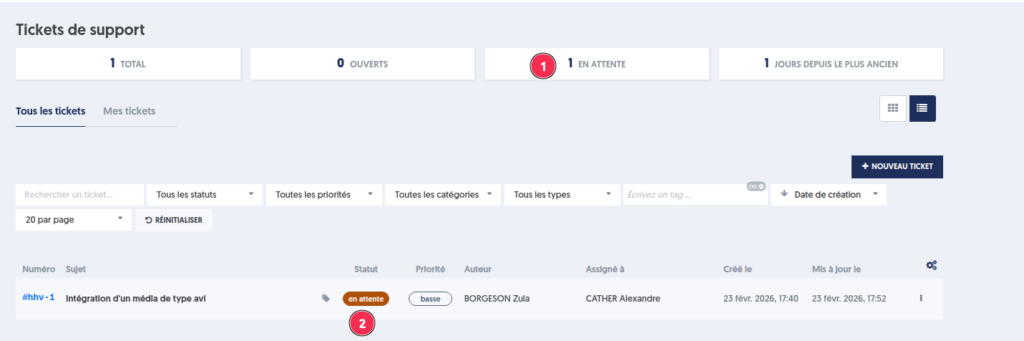
Handling a ticket is represented by a status change (1), which goes from New to Open.
The ticket is then assigned to a member of the maintenance team, responsible for its processing (2).
The last updated date (3) allows tracking the last action taken on the ticket and identifying the date of its last handling.
Comment
Tickets may require additional information to be processed. In this case, the maintenance team writes a request comment and puts the ticket "on hold."
Status Modification
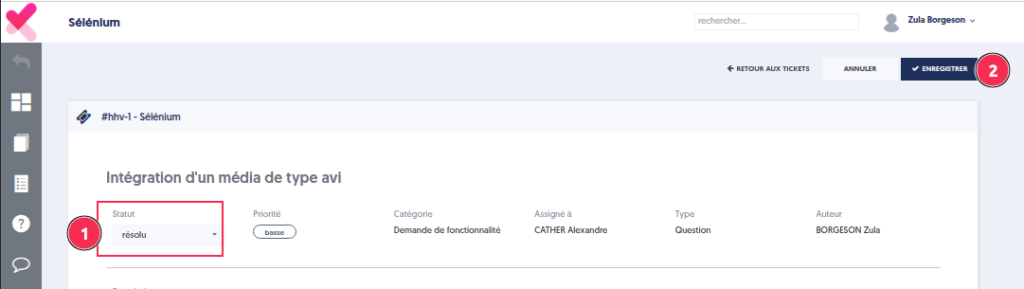
It is possible to change the ticket status. For example, a ticket can change to resolved status when it has been fixed.

Notification
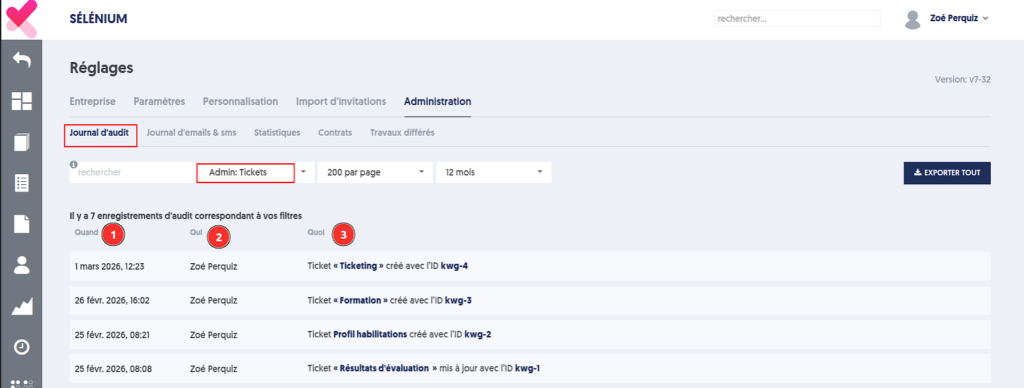
All actions taken on tickets are recorded in the audit log.
By filtering on the event type "Admin: Tickets" and the desired period, you can perform a precise search of ticket-related activities.
Each line indicates:
- the date and time of the action,
- the author
- the details of the event (creation, update, comment, etc.) with its number
Email Notification
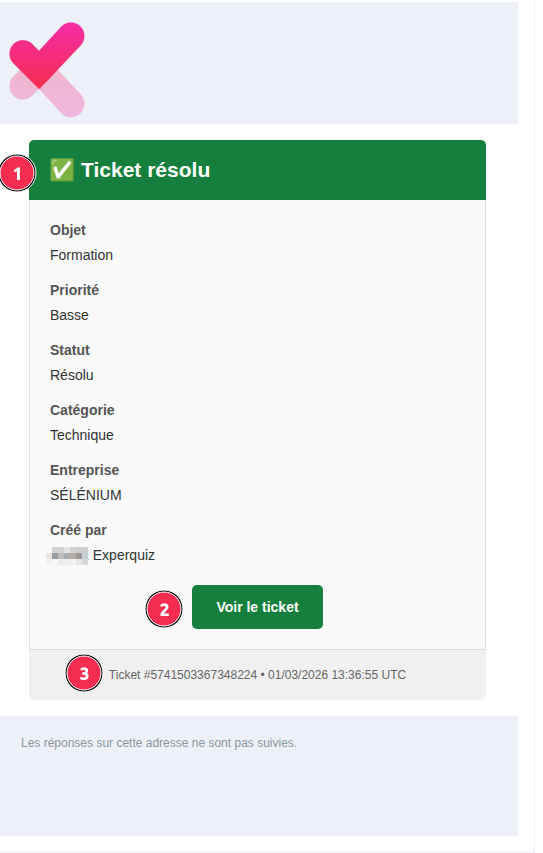
With each modification of a ticket's status (handling, on hold, resolution, closure…), its author receives an email notification.
The message header summarizes the action taken on the ticket.
A button "View Ticket" allows direct access to it.
At the bottom of the message, a summary mentions the ticket identifier as well as the date and time of the action.