Questionnaire or public module with identification
A questionnaire or module can be set to public mode, meaning that a launch URL for the questionnaire or module is defined, and anyone who knows the link or associated QR code can access it without needing to identify themselves.
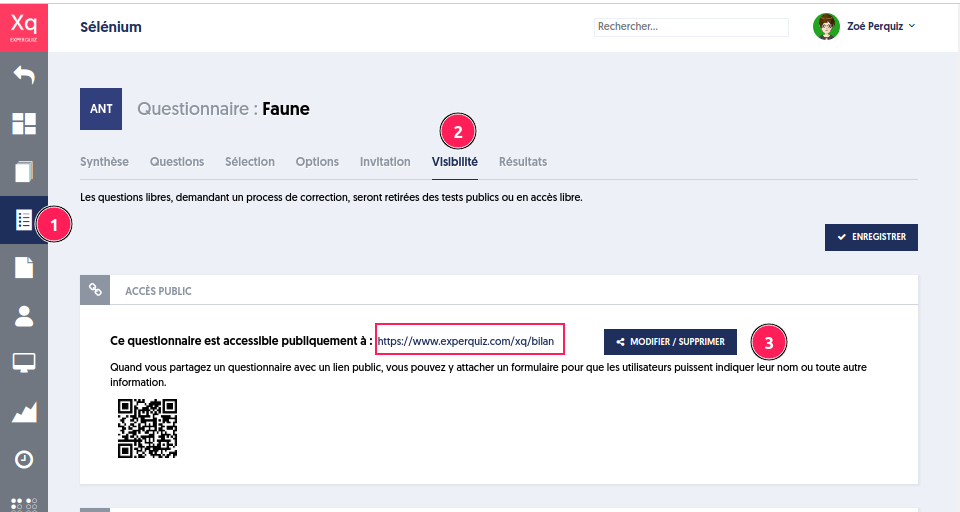
By defining or modifying the public link (button [3]), a panel presents you with an option “Add an identification form before the activity”
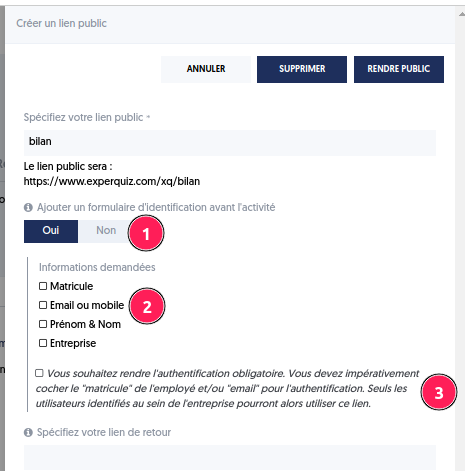
Check “Yes” (button [1]) if you want an identification form to be presented before starting the test. Possible fields in the form [2] are employee ID, email/mobile, first name, and last name, the company. If this form includes an « employee ID » or an « email », the user will be identified when taking their public test, and the results will appear in the user's history. Otherwise, the user will become a contact.
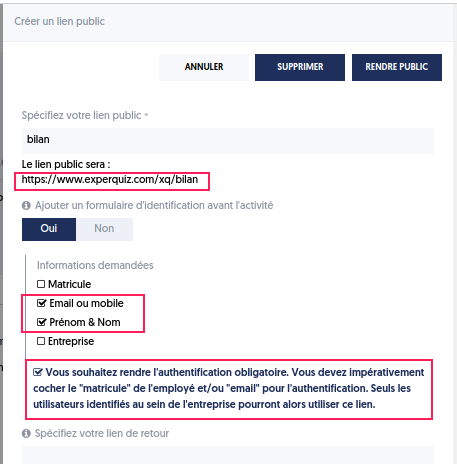
You can make authentication mandatory [3]. In this case, your form must include the « employee ID » and/or « email » for authentication. Only users identified within the company will then be able to use this link.
Example
The participant must fill in the required fields 1-2-3 and then click the save button [4].
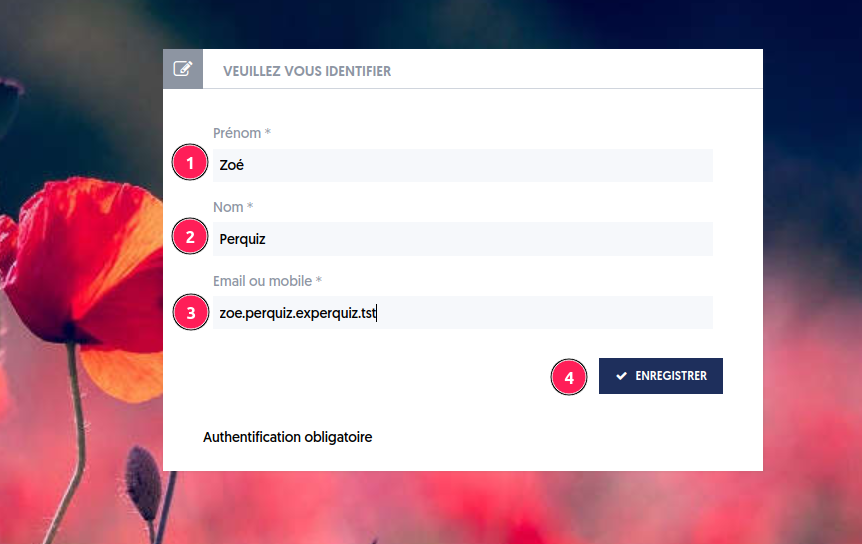
If the information is correct, the test can start and be recorded in the history of the tests taken by Zoé.
If the information provided in the form is incorrect, an error is displayed on the incorrect field.
When authentication is required, the form is validated, and if the user does not exist among the company’s users, the test cannot be taken, and a message “User not found” is displayed.
In summary, if you want to use a form before taking a public questionnaire, several scenarios arise:
- You have not chosen identifying fields like email or employee ID. There is no user or contact created. The test is associated with this new guest.
- You have chosen to ask for identifying fields (email or employee ID).
Two possible cases:
- The “mandatory authentication” option is enabled: if the requested information corresponds to a user already registered in your company account, there is no creation because they already exist, and the test can start; otherwise, it is rejected.
- No “mandatory authentication”: if the requested information corresponds to a user already registered in your company account, there is no creation because they already exist, and the test can start; otherwise, a contact is created with the information provided in the form.
Results
The results [1] are accessible in the [2] “Free and Public Tests” tab.
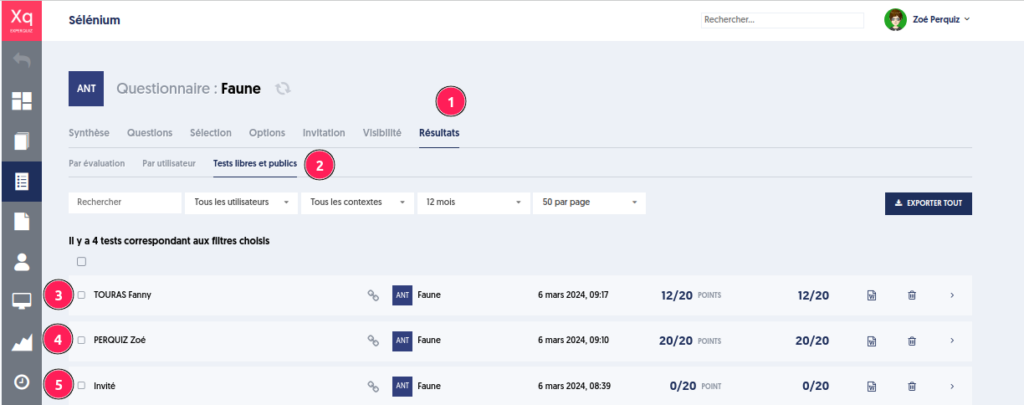
Case [3] is a new contact created with their name, first name, and email collected. It will be found in the contact list.
Case [4] is a test taken by Zoé identified.
Case [5] is a test taken by an unknown user who did not fill out any form.