Training Templates and Sessions
ExperQuiz offers tools to facilitate training sessions, whether in-person or remote.
To define a new training session, the administrator must:
- Specify the session title.
- Define the start and end dates of the session.
- Choose the educational resources (documents, questionnaires, and satisfaction surveys) that will be used by the trainer during the training.
- Designate the trainer and the participants who will participate in the training session.
A new feature allows for the creation of a training template that defines the title, duration, and educational resources of training sessions, thereby simplifying and standardizing the creation of sessions.
A training session can then be created from this template. It will only remain to choose the trainer, the participants, and the period during which the training will take place.
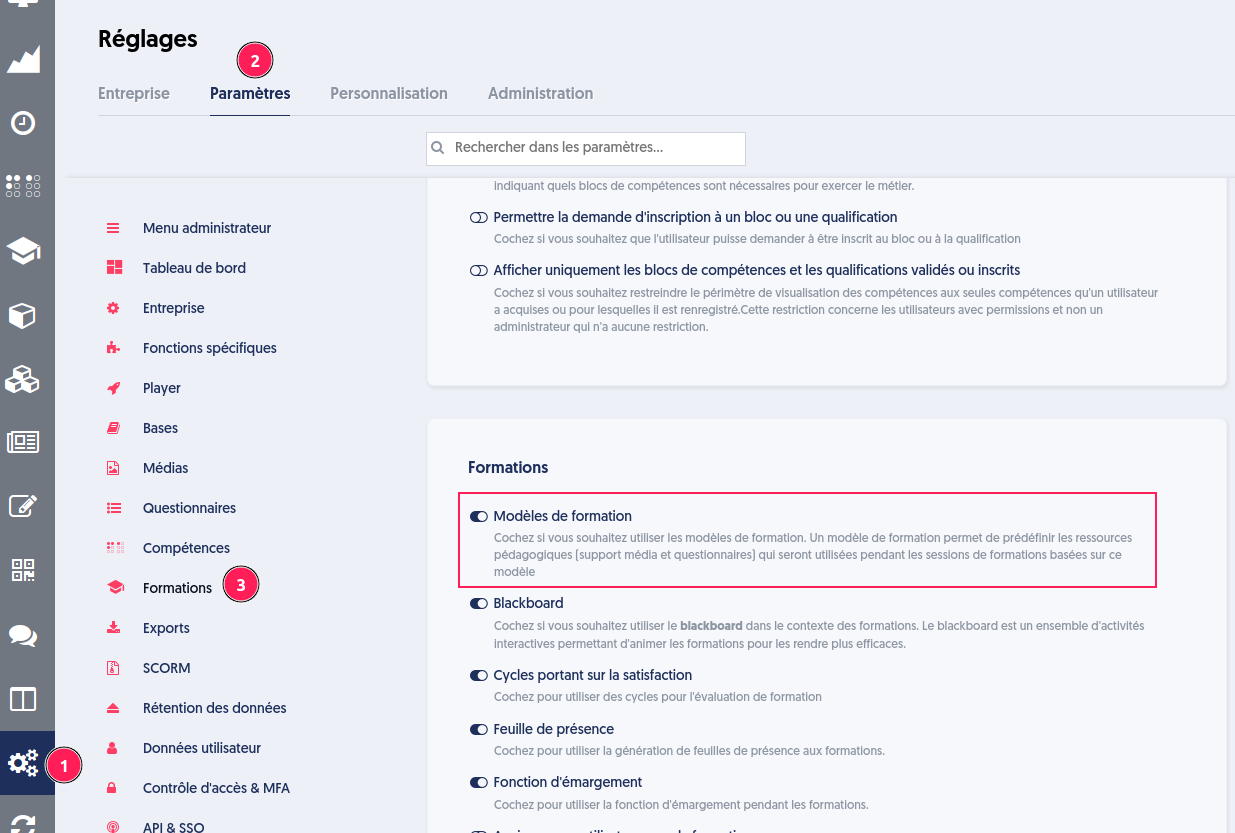
To activate this feature, go to the company settings, as indicated below.
Company Options
Training Templates
A new "Training Templates" [1] tab is available in the training menu.
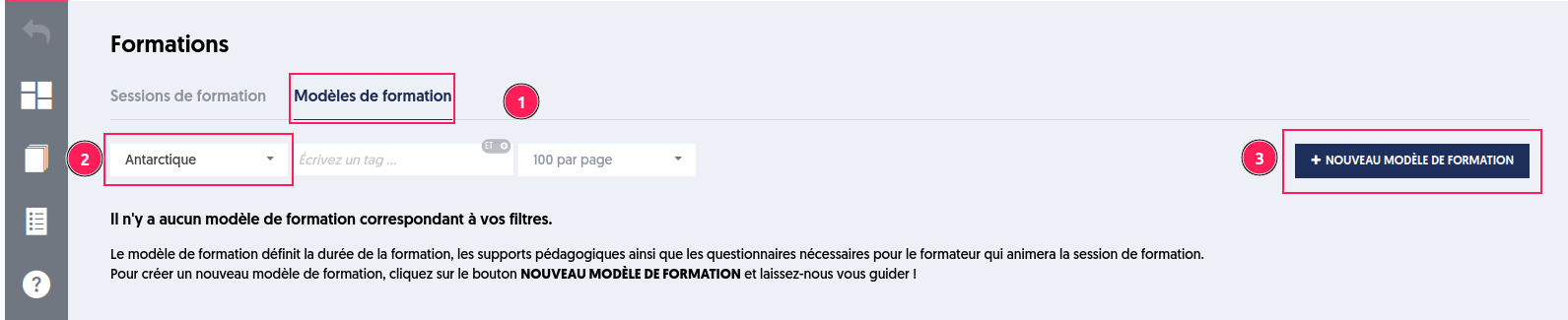
Creating a Template
To create a new template, choose a thematic base [2] and click on the “NEW TRAINING TEMPLATE” [3] button.
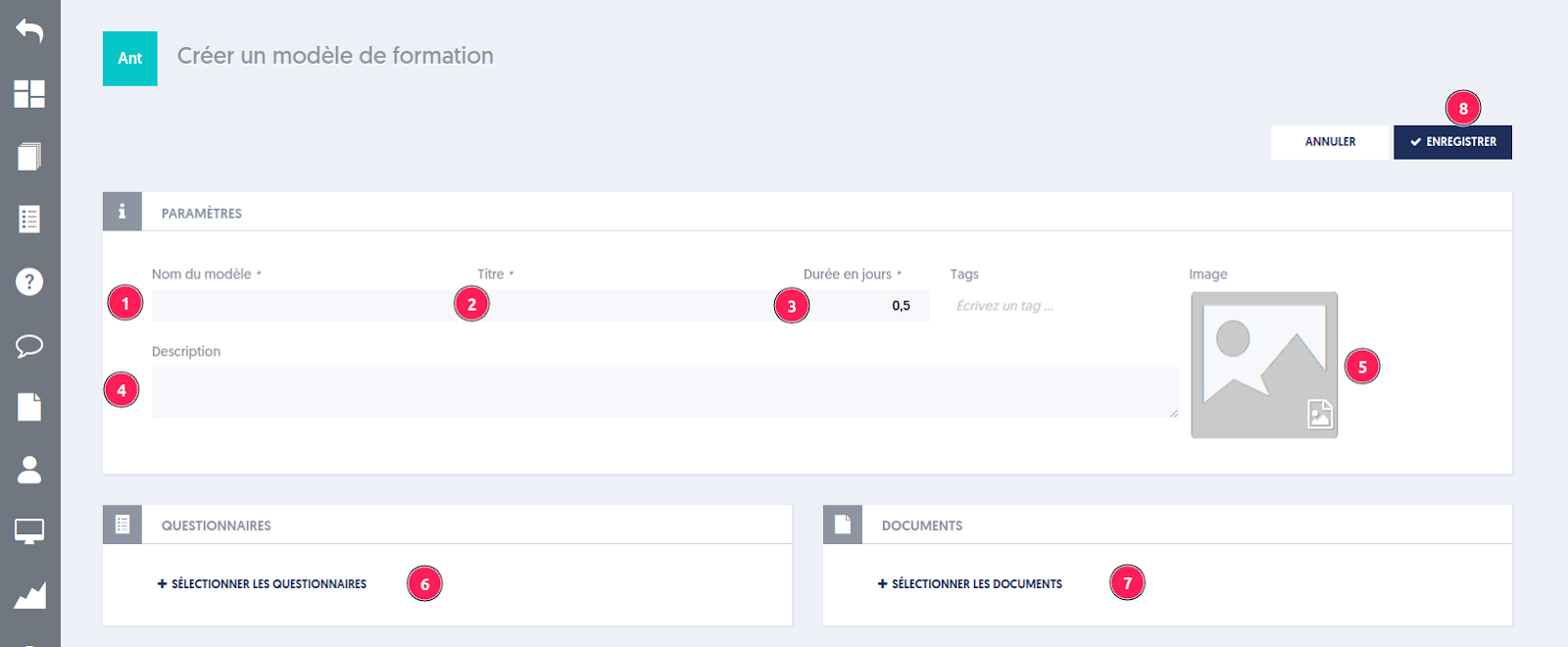
The page displays the different fields:
- The name
- The title
- The duration
- The description
- An image for display on the learner's dashboard
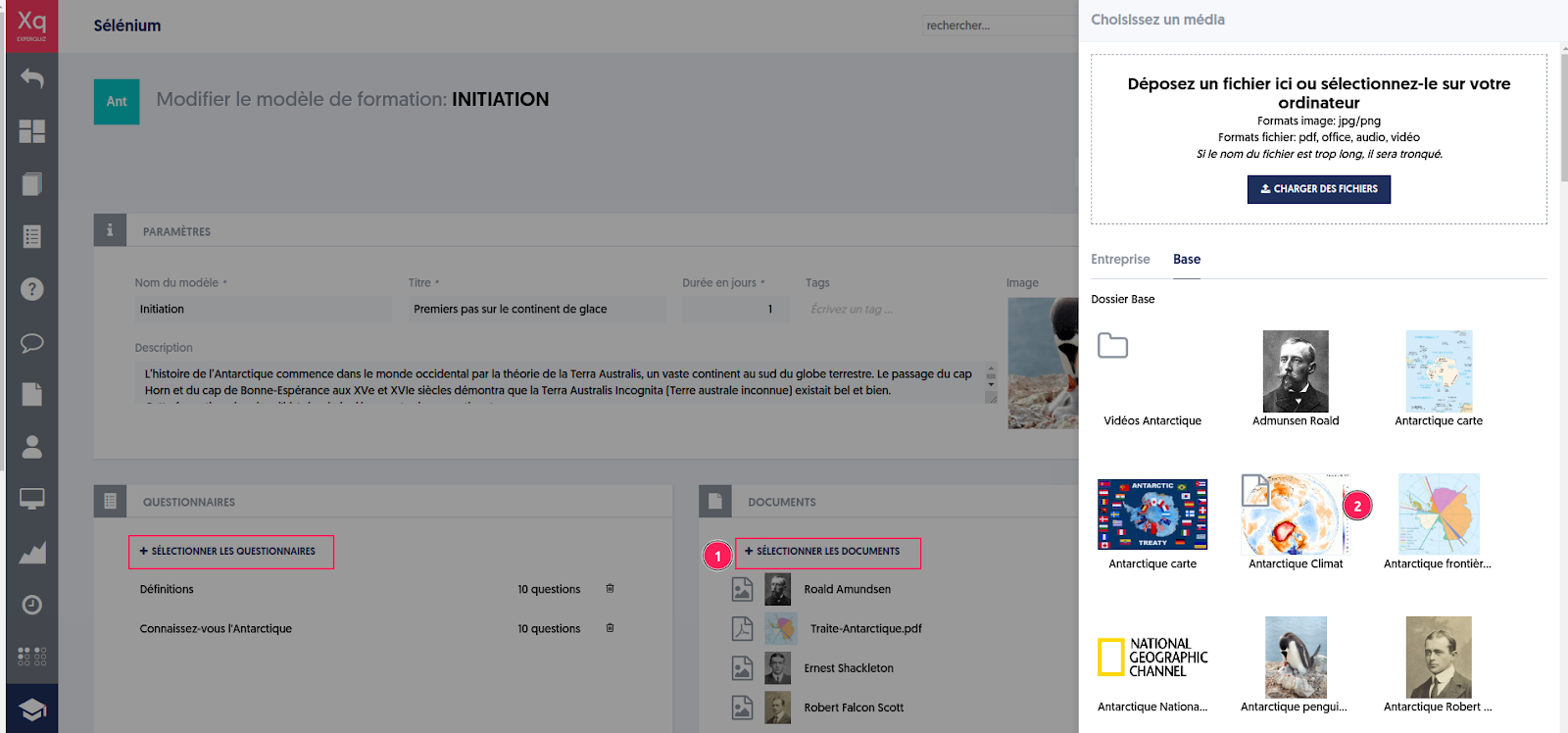
Then, select the questionnaires [6] and documents [7] by clicking on buttons 6 and 7, and then save the training template [8].
List of Templates
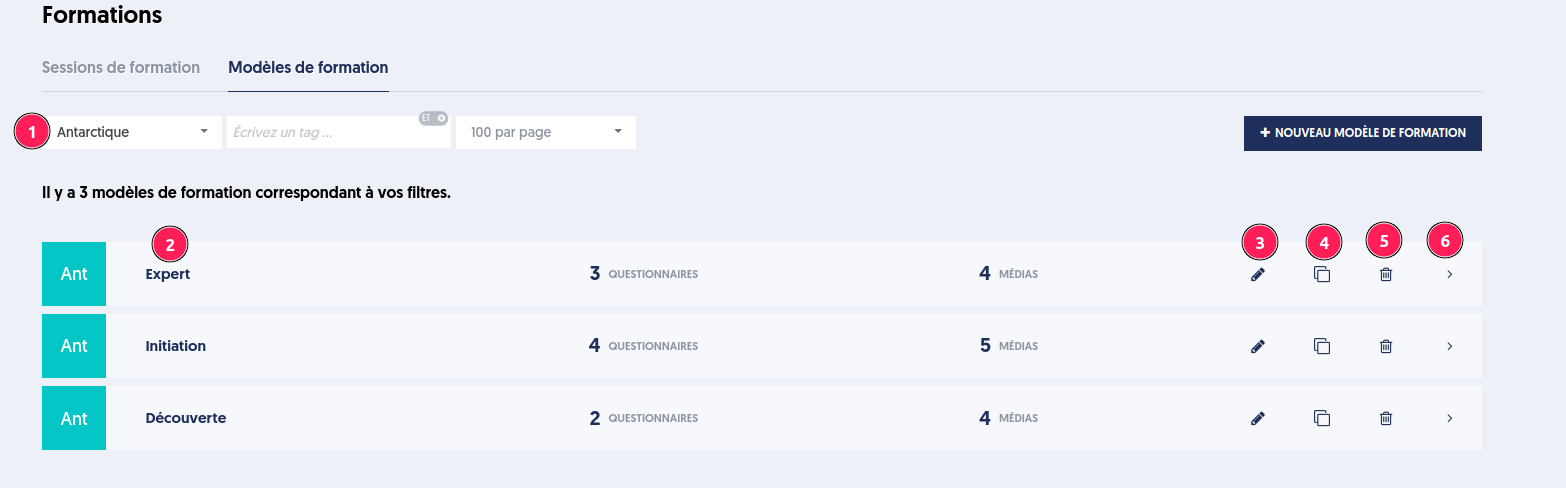
The training templates page presents a list of templates and allows you to:
- Filter templates based on a specific criterion
- View the summary
- Edit the template
- Duplicate a template with its resources
- Delete the template and its dependencies with the sessions using it
- View the details panel
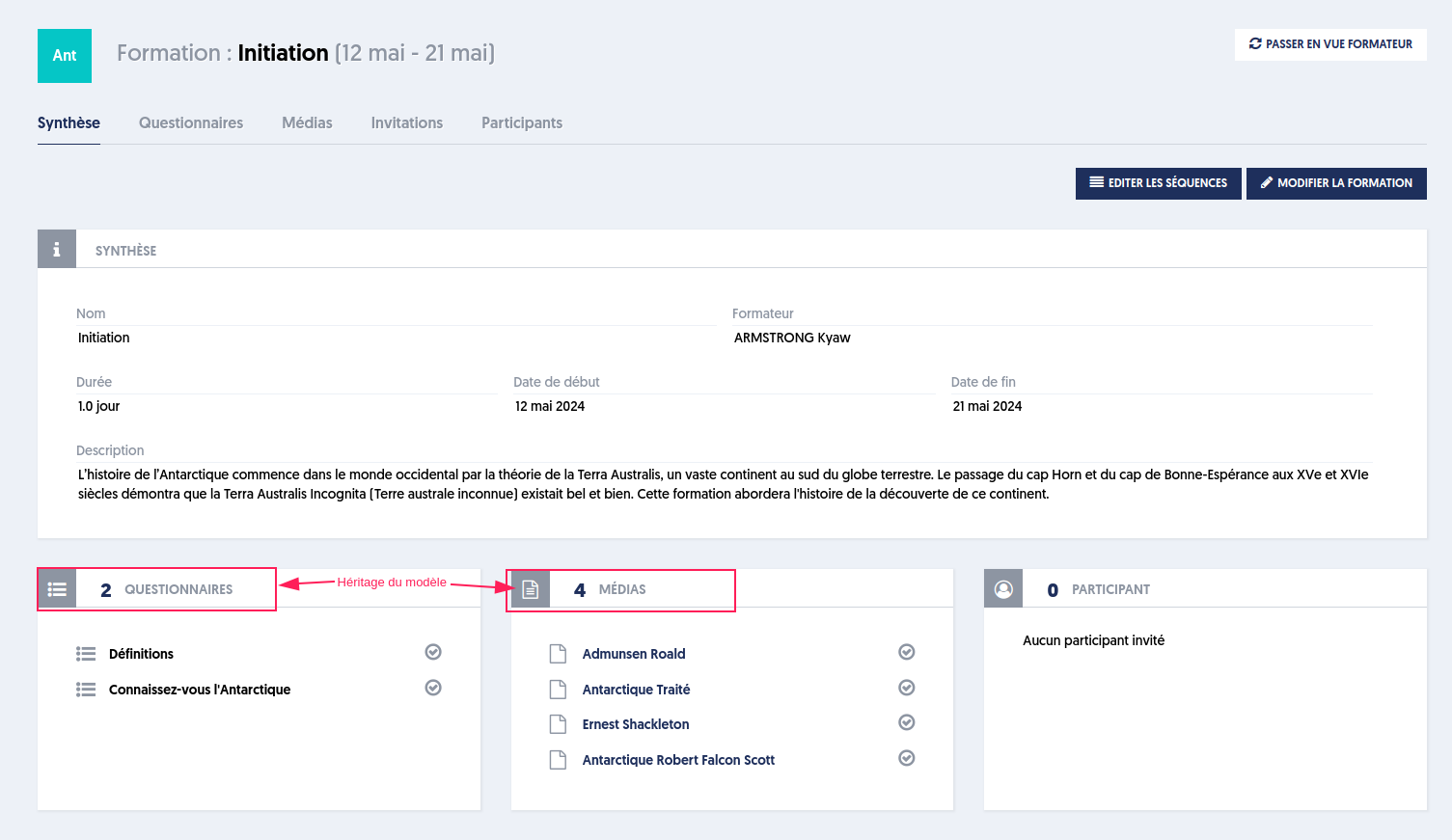
Template Summary Page
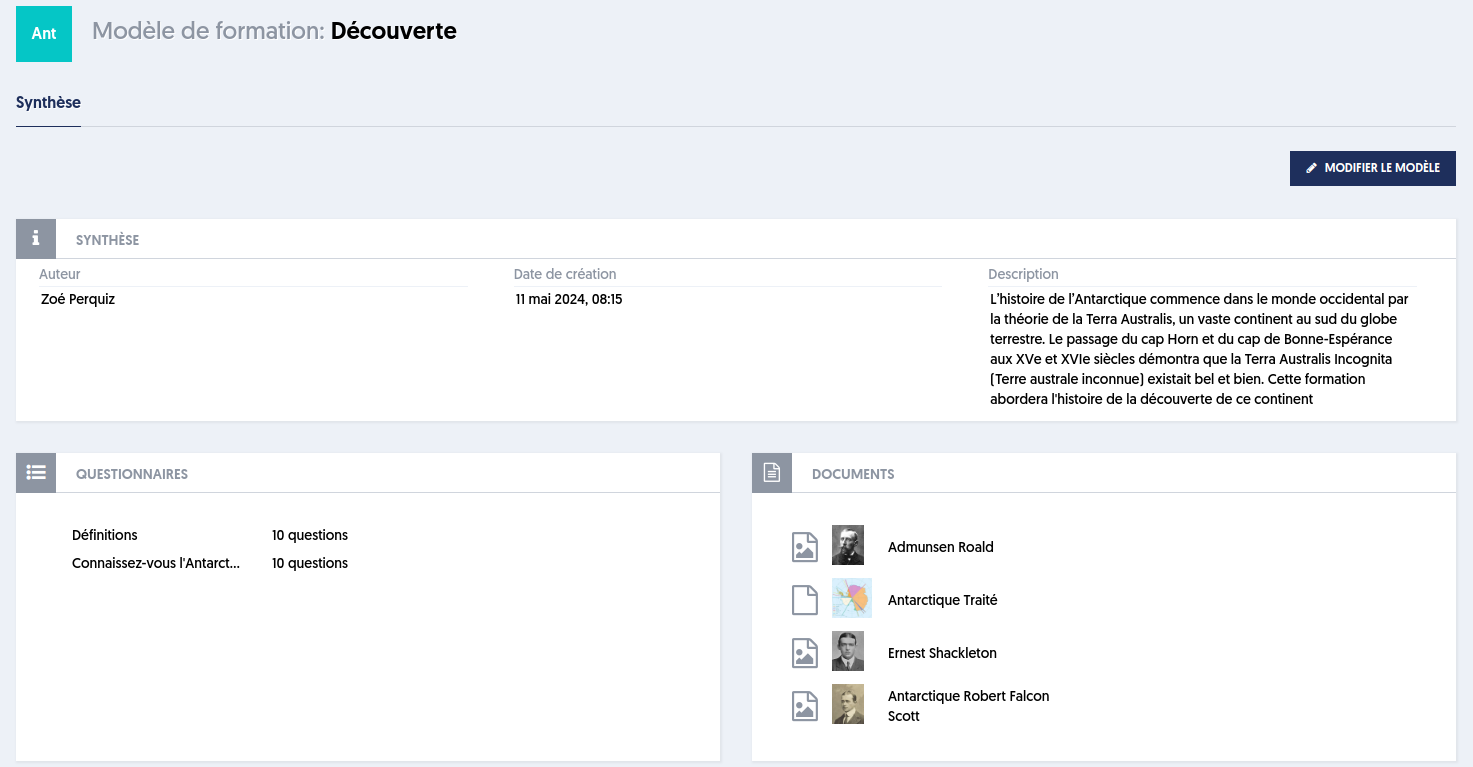
Editing a Training Template
To edit a training template, click on the “EDIT TEMPLATE” button on the summary page or on the pencil icon in the templates list page.
You can modify the different fields or the questionnaires/documents.
Note that there will be no retroactive update of sessions created from this template.
Training Sessions
A training session is a blended training with a trainer, participants, and educational resources (documents, questionnaires, surveys, activities, certifications, etc.).
It also specifies the period during which it takes place and possibly the location if it is in-person.
Creating a Training Session
To create a training session from a template, proceed as before: choose the thematic base and click on the NEW TRAINING button (nothing has changed until then).
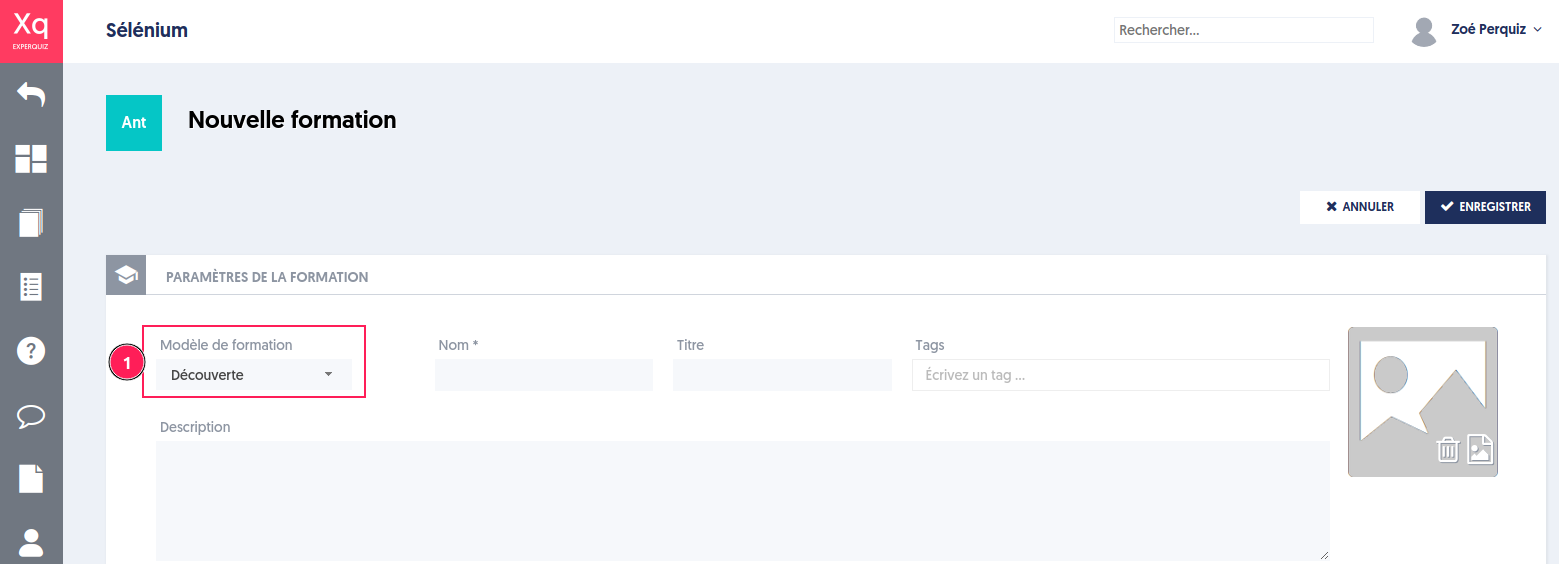
On the session creation page, a list of existing templates is presented [1] from which you can choose the desired template.
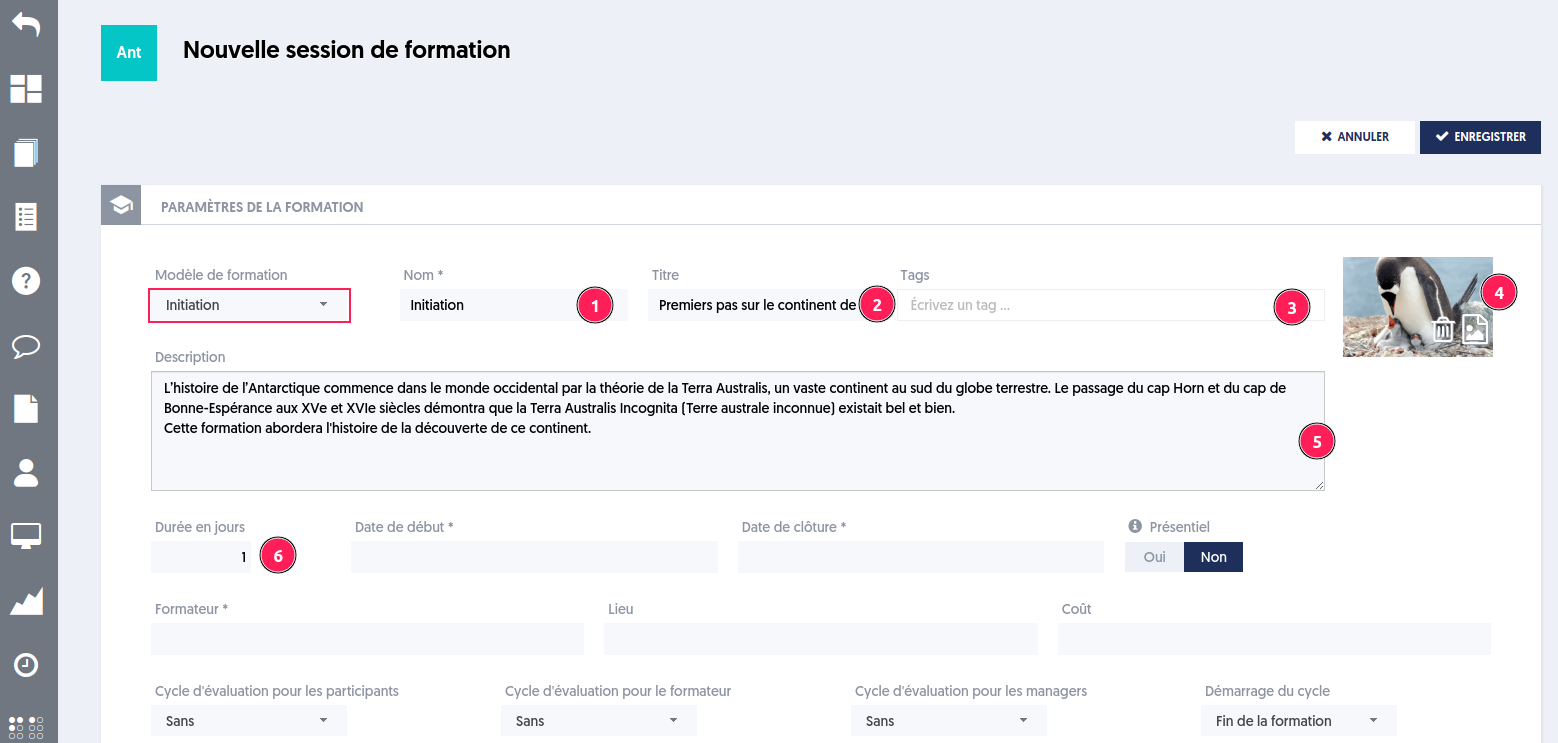
Choosing a template instantly initializes the fields of the new session (1 to 6) based on those of the template.
Once saved, there will be no need to choose the documents and questionnaires as the session will inherit the educational resources defined in the template.
Note that a change in the template occurring after the creation of a session will not have an impact on sessions that have already been created.
List of Sessions
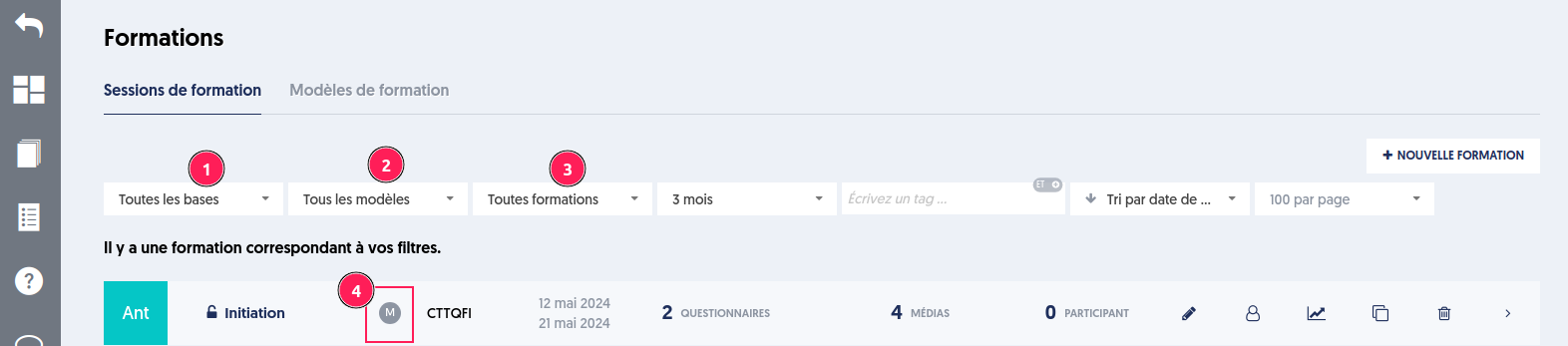
The training sessions page presents a new filter [2] that allows filtering based on sessions that rely on a template.
Editing a Training Session
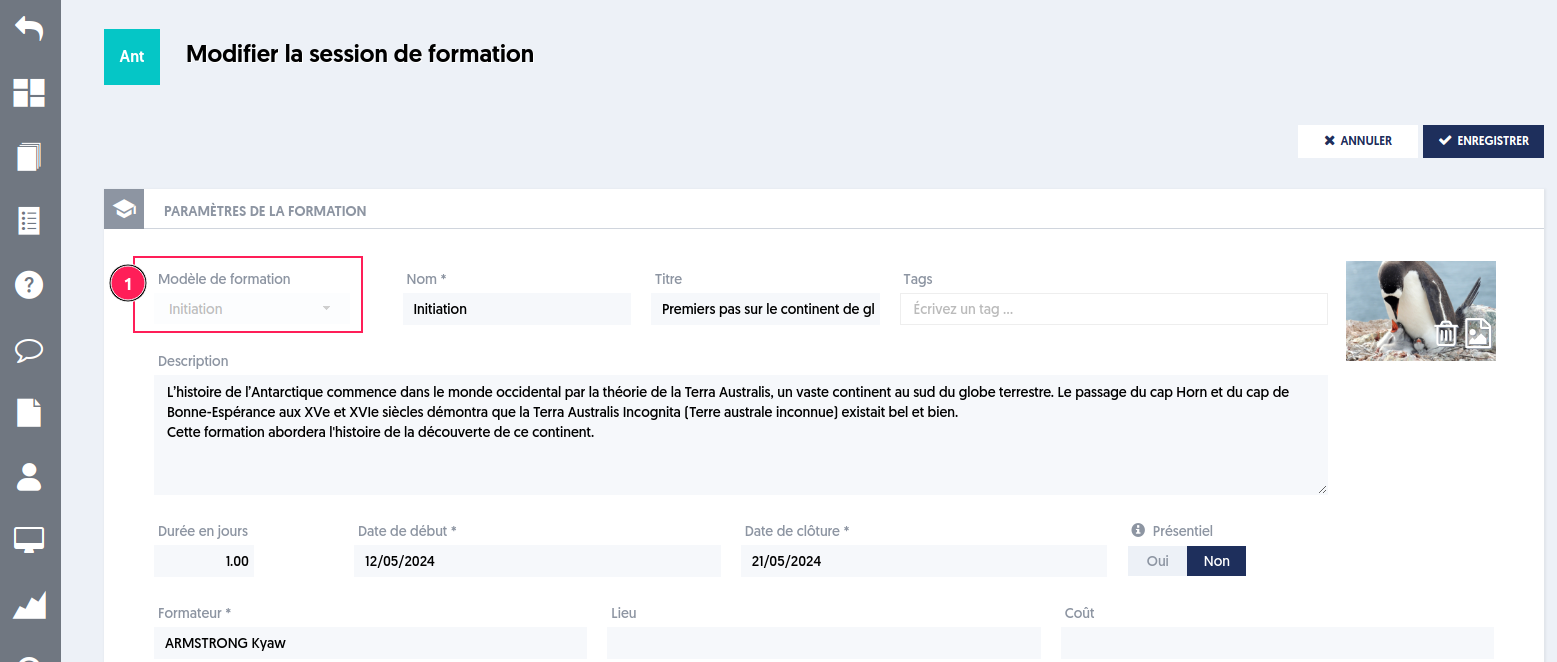
Once the session is created from a template, it is not possible to change the template.
Article Navigation
Previous Previous Article: Questionnaire or public module with identification