Creating an e-learning module
First, you need to enable the addition of modules in the admin menu, in the company options (on the Company page, Options tab).
You will see the Modules option appear in the main menu. It leads to the module list page, which looks like this:
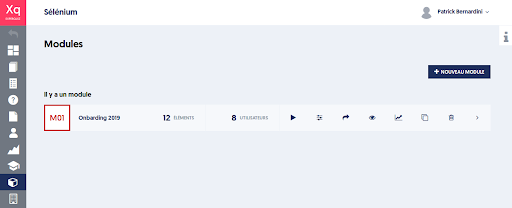
In this example, there is already a first module, titled Onboarding 2019.
To create a module, click on the NEW MODULE button.
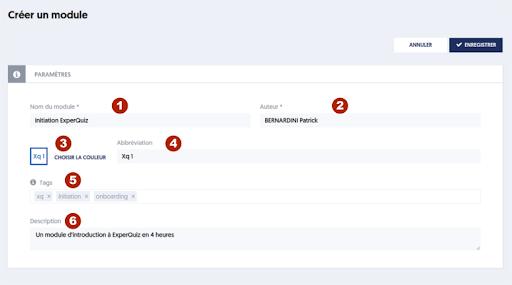
You can define:
- [1] The name of the module
- [2] The author of the module, who by default is the logged-in user, yourself
- [3] A color that will help identify the module
- [4] An abbreviation, up to 4 letters that identify the module
- [5] Optionally some tags, if you have enabled this option for your company.
- [6] A more detailed description of the module