Creating a New Ticket
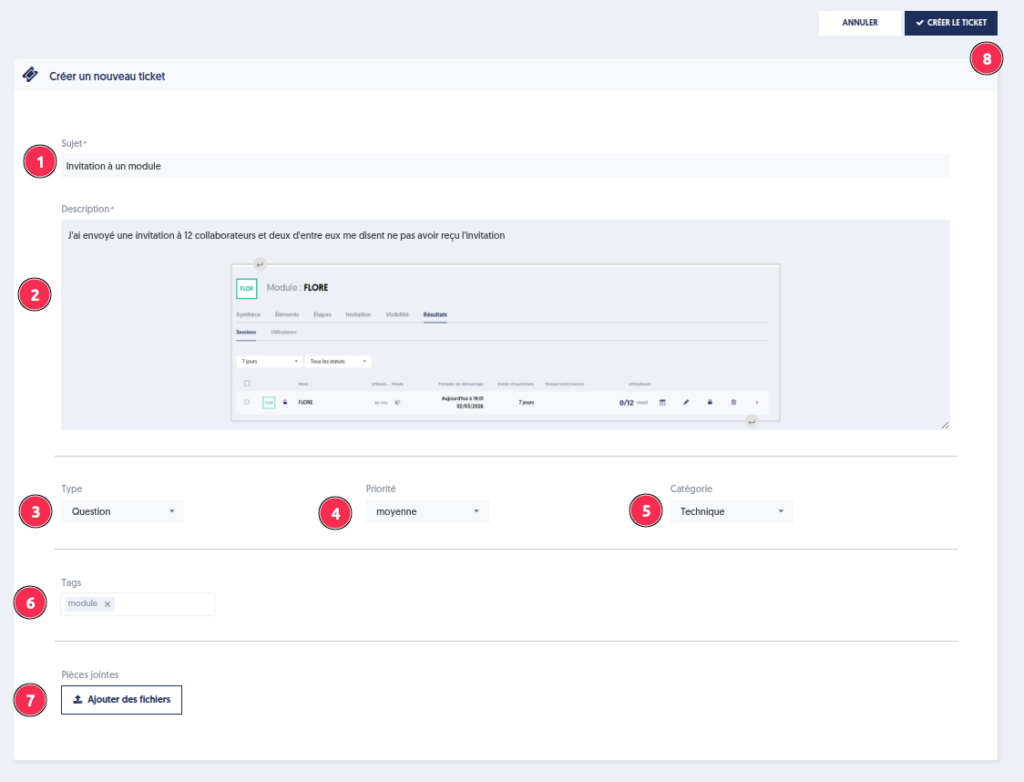
To create a new ticket, click on the button Create a Ticket, then fill in the following elements:
- The subject: a clear and concise title for your request
- The detailed description: precisely describe the context and the problem encountered, adding a screenshot if possible
- The type: question, anomaly, change request, …
- The priority: indicate the level of urgency for processing
- The tags: internal keywords that help refine the search and tracking of your tickets
- Attachments: these facilitate the handling of the ticket. For example, in the case of an export or import issue, attaching the relevant file is particularly useful.
- Create the ticket to save it