Export of Reports
Experquiz offers multiple analyses of scores, across different axes and with numerous filtering options.
These analyses are available in the “Reports” tab of the “Results” page, as illustrated below:
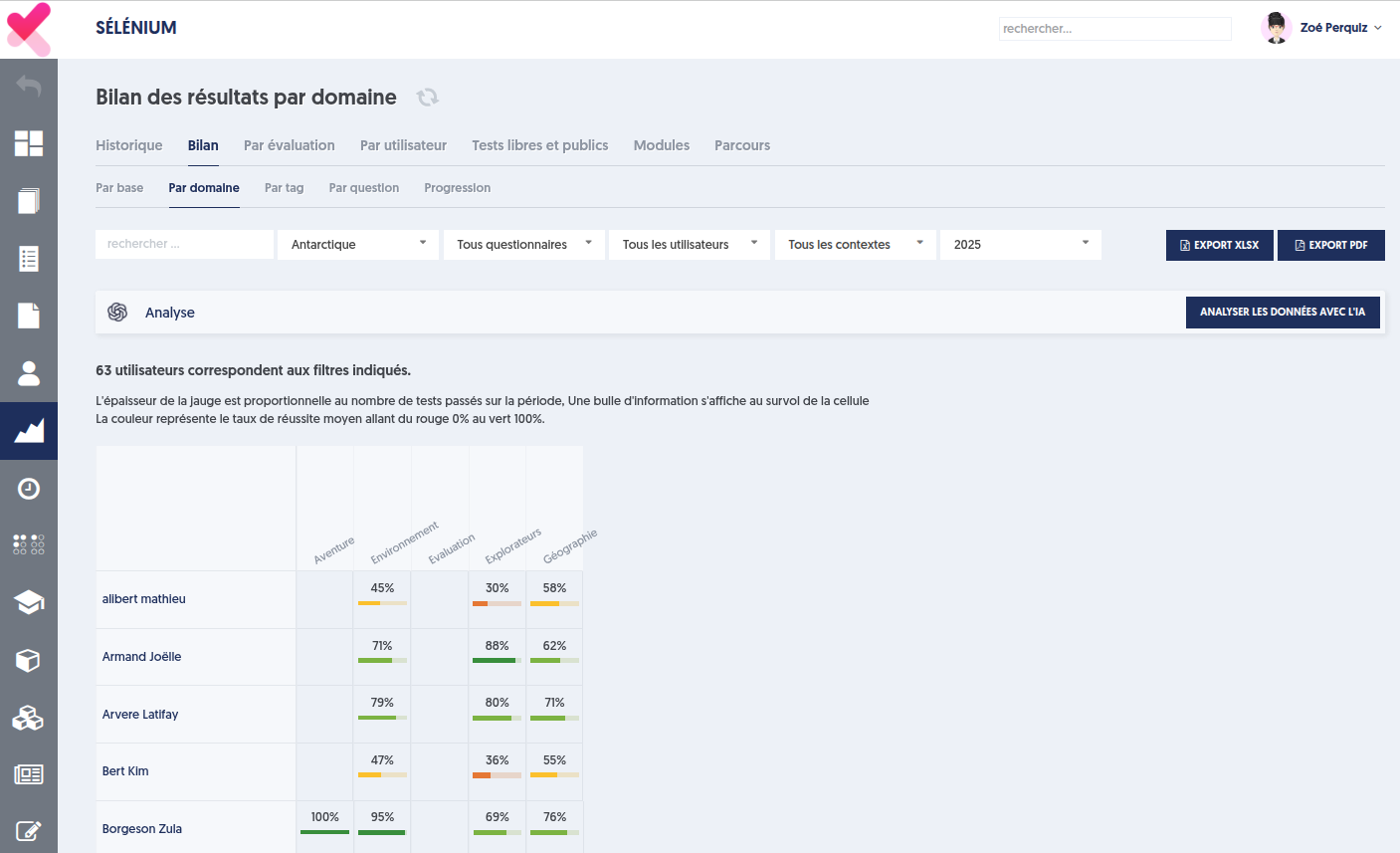
You have 5 sub-tabs: by base, by domain, by tag, by question, and progress.
We will focus here on the 3 middle tabs: by domain, by tag, and by question.
The first tab provides an analysis of scores by domain obtained by each user. You can filter:
- A specific base
- A specific questionnaire, or all questionnaires
- A group of users or all users
- A specific testing context: evaluation, certification, open test
- And finally, a time period during which the tests are considered.
Once all filters are set according to your needs, the “by domain” tab presents, for each person included in the scope, the score obtained in each domain. That is, the average of the scores obtained on all questions that belong to that domain. Note that if the person has taken multiple tests during the period, the displayed values correspond to the average across all tests.
In a very similar manner, the following tabs, “by tag” and “by question”, present the consolidated results of each user, for each tag and for each question.
Note that if the user who is logged in and viewing these analyses has access only to a reduced scope of users (whether via group concepts or the company’s organizational chart), then these pages are naturally filtered to the authorized scope.
Furthermore, these pages offer the possibility of analyses performed by Artificial Intelligence. But that's another topic!
The new feature allows you to export these analyses either to a Pdf file or to an Excel file.
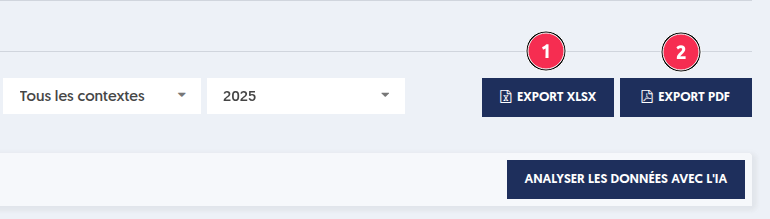
When you click one of the buttons, a panel opens on the right, allowing you to adjust the content of your file:
- Include or not include analyses by domain, by tag, and by question.
- Include all users or only the users for whom there are results.
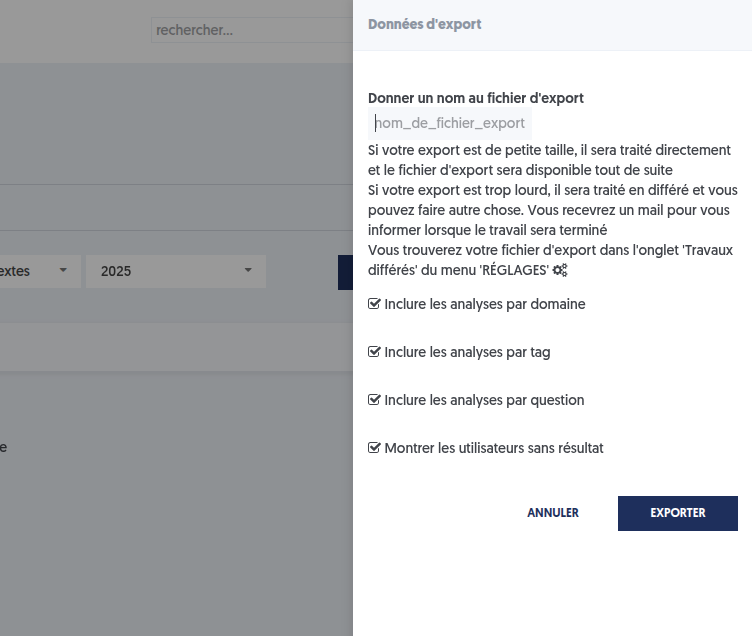
As with all file exports that can be significant in size, there are two possibilities, depending on the volume of data:
- If your data includes fewer than 200 users, the export will be synchronous, meaning you can wait for the file to be created, and it will be displayed immediately.
- If your data is larger, the export will be deferred, meaning it will be performed while you can continue working. When the file is ready, you will receive a notification email.
In either case, you can obtain the file on the “Settings” page, “Administration” tab, “Deferred Works” sub-tab.
Article Navigation
Previous Previous Article: Quality of a Base and Questionnaires