Modifying a Signature Session
As with an invitation to a questionnaire, it is possible to change the end date of opening and manage the list of participants while the invitation is open.
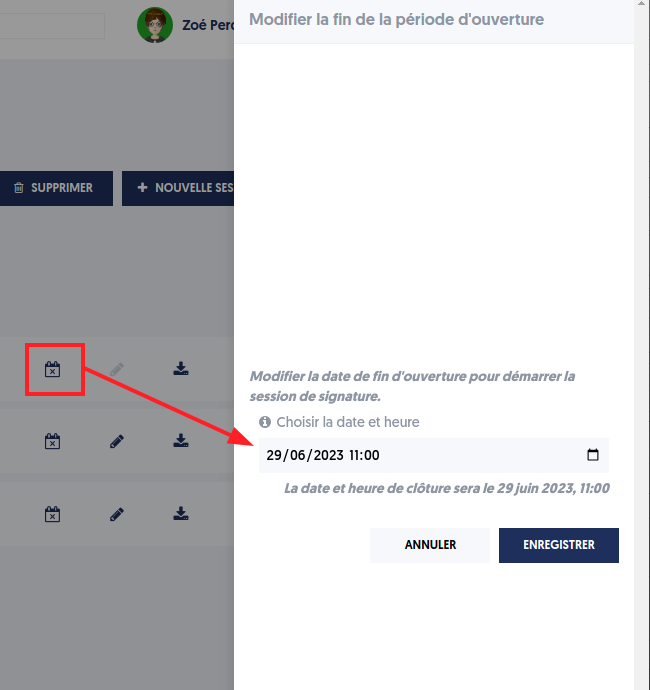
Change the End Date of Opening
You can use the calendar to change the closing date.
A panel opens on the right, allowing you to set this new closing date.
Manage Participants
When the signature session is in “individual” or “collective” mode, it is intended for a list of participants. This list is accessible by clicking on the pencil icon.
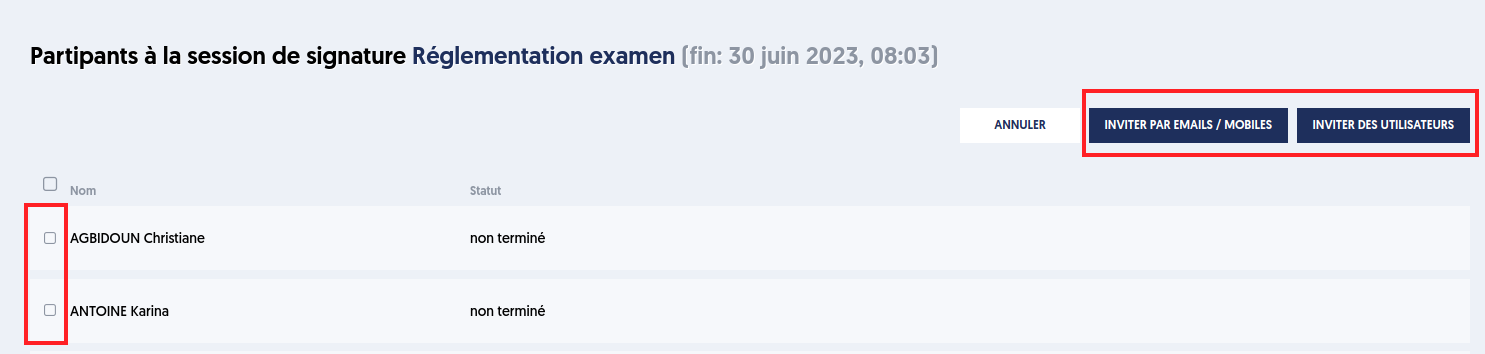
Check the invitations with the status “not completed” if you wish to delete them, then click the “DELETE” button.
Important: Participants who have completed their participation cannot be removed from the list.
Article Navigation
Previous Previous Article: View the details of a signature session